SCCM Active Directory System Discovery is a discovery method to bring discovered devices into your SCCM server. It’s one of the most used discovery methods for its simplicity. Many organization extends their Active directory to include custom attributes to their records. By default, SCCM brings a couple of default Active Directory attributes but it’s also possible to bring any custom attribute that you may have.
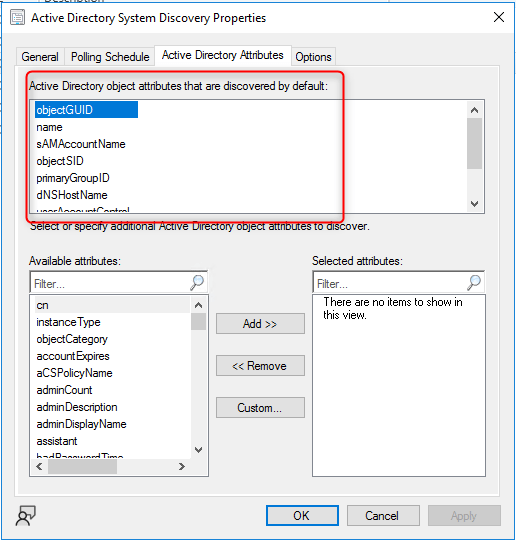
The good news is that it’s quite simple to add these custom Active Directory Attributes to your SCCM Discovery methods. What is more complicated is how to fetch this data once it’s discovered.
Over the years, we’ve seen much different information stored in AD Attributes. For this post, we’ll add the Description attribute from a computer account to SCCM and describe how to query this information to create collections or reports.
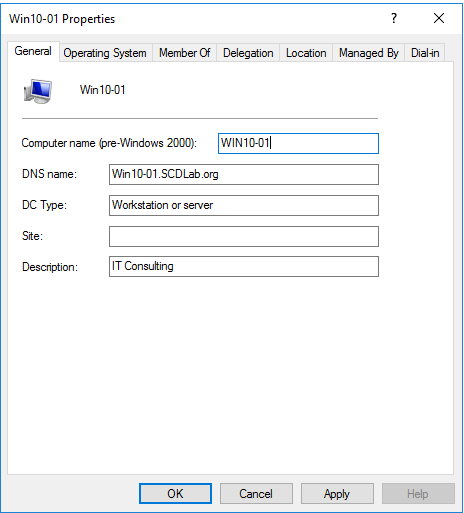
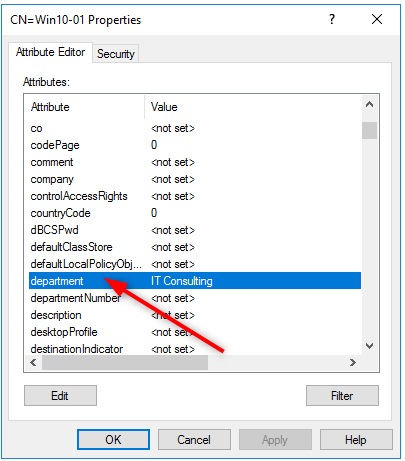
The first step is to find the name of your AD attribute. To do that, you can use the Active Director Console or ADSIEdit to see the different available attributes.
For our example, we’ll configure SCCM Active Directory System Discovery to fetch the Description attribute from the Win10-01 computer.
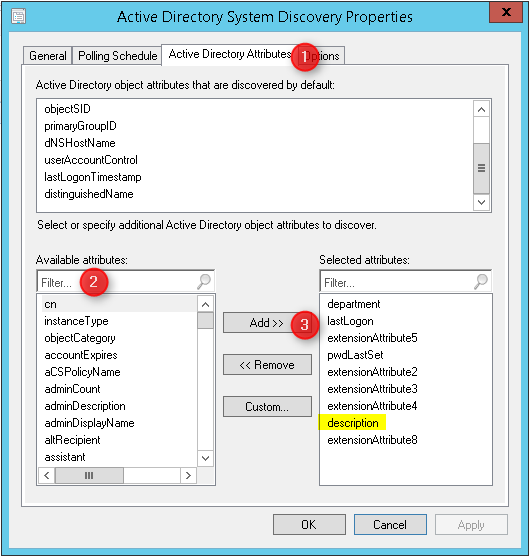
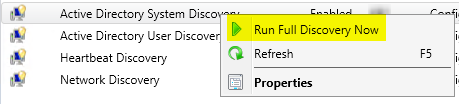
Wait for the Active Directory System Discovery scan to finish, you can monitor the process by opening adsysdis.log on your site server.
Ensure that you don’t have any lines like this one :
WARN: Type not supported or no value set for the following optional attributes, description

This means that your system doesn’t have any value in the Description field.
On our Win10-01 you can see that we don’t have any warning :
INFO: DDR was written for system ‘WIN10-01’

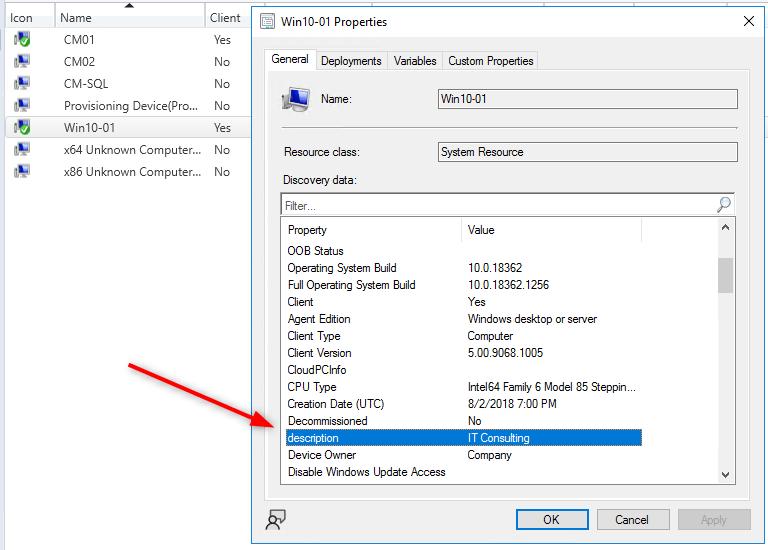
You can now open the properties of one of the devices. You should see your Active Directory attribute in the discovery data pane :
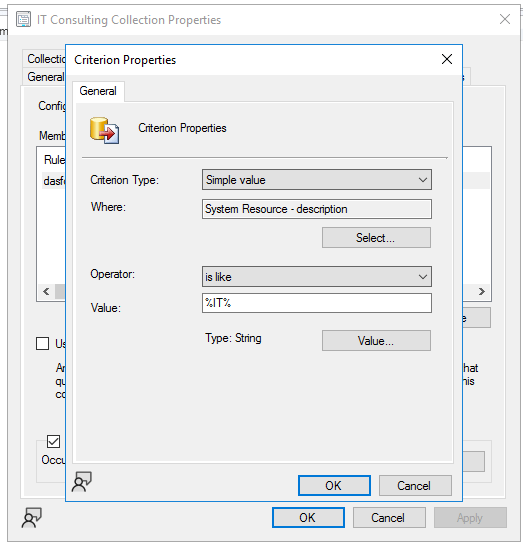
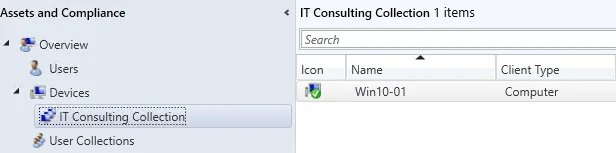
Once you have your new discovery data, you can use it to create collections or reports. Let’s start with a collection
You can also query this information and include it in your reports.
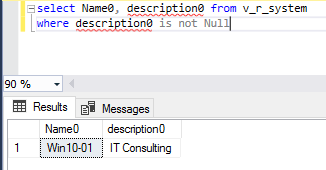
The information is stored in the V_R_SYSTEM view.
Select Name0, description0 from v_r_system
where description0 is not Null
For my example, I’ve run the query on the computer shown in the first screenshot.
The description field in SCCM matches the data from Active Directory.
From there, you can join the V_R_SYSTEM view to other SCCM view and create creative reports based on your SCCM active directory attributes.

Please fill out the form, and one of our representatives will contact you in Less Than 24 Hours. We are open from Monday to Friday.

Thank you for subscribing to our newsletter or requesting a quote. You will receive our next month's newsletter. If you have requested a quote, we will get in touch with you as soon as possible.

Something went wrong!


Thank for your reply!