Assigning your users to their primary machines in SCCM is a common task. It permits to identify the primary machine of a specific user and opens the possibility to install software only on primary machines. Once your associations are created, there are multiple ways to see the associations. This blog post will detail the various way to identify your user and primary machines and we also provide a free SCCM primary device report that you could use to easily find an association.
The most simple way to identify a primary machine for a user is to use the console. This method is simple but you will need to do that for each user which is not really productive.
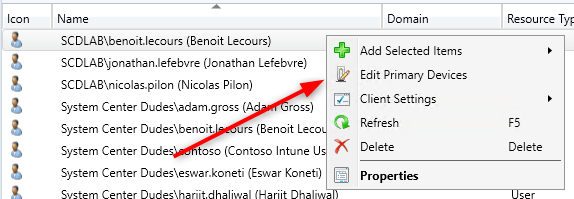
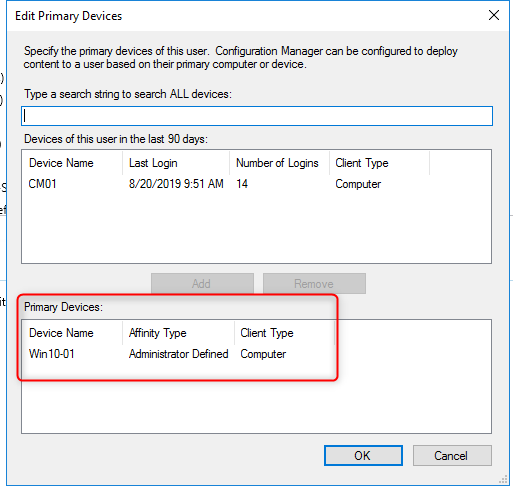
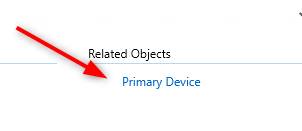
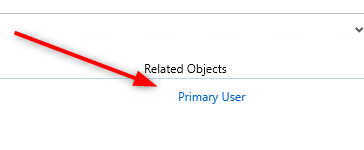
You can also click Primary Device in the related objects in the bottom right pane
Since SCCM 1802 version, the console now includes a column for primary users.
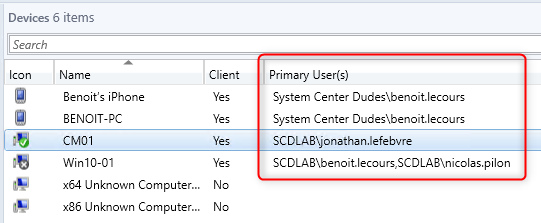
If you’re not running the latest version :
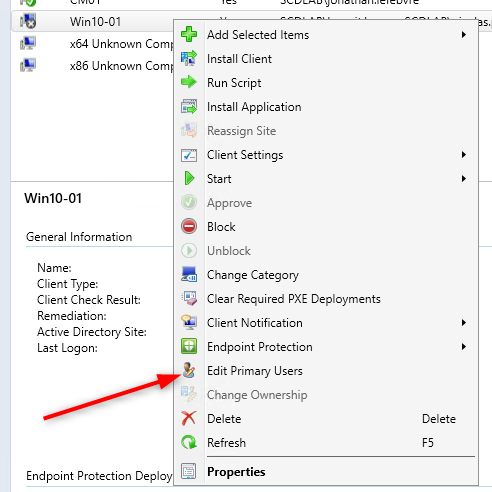
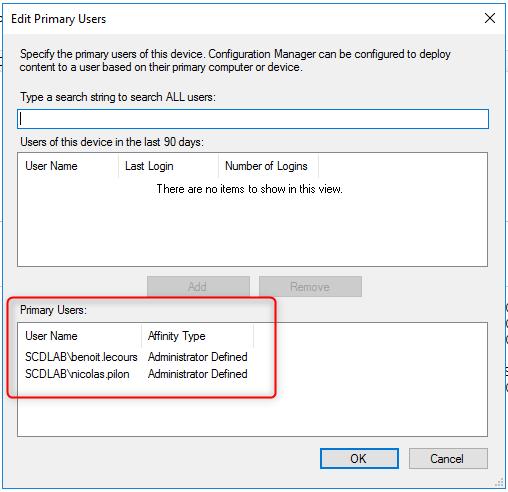
You can also click Primary Users in the related objects in the bottom right pane
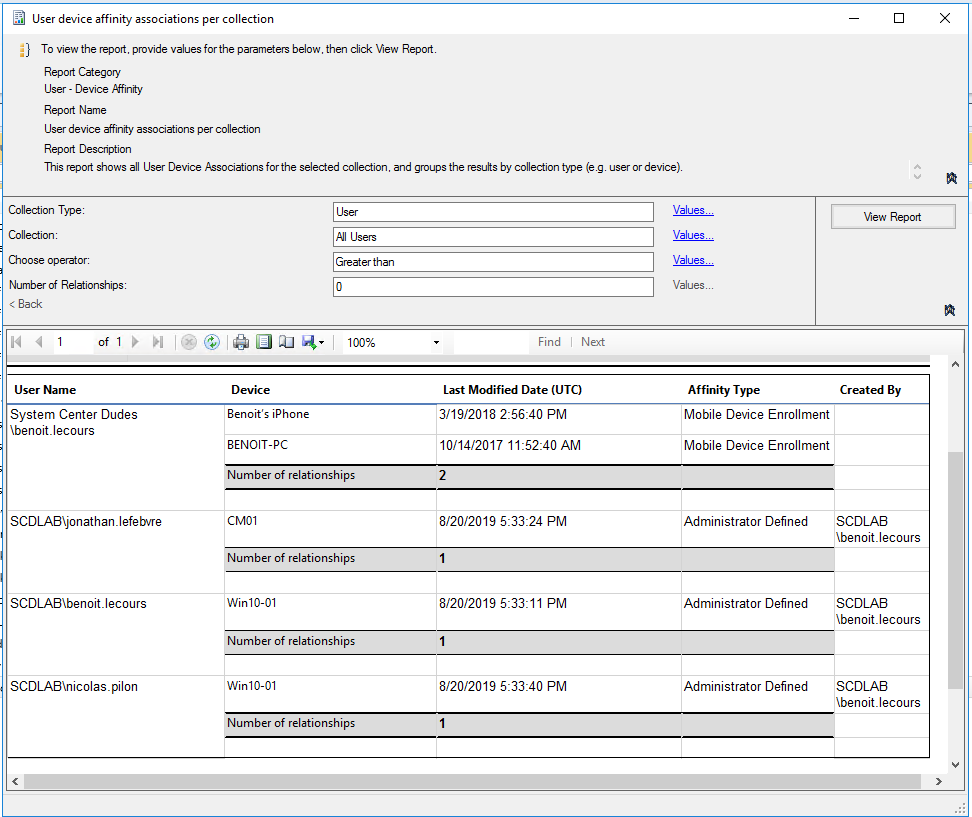
There is a built-in report User device affinity associations per collection but the report is not giving you the option to search for a specific machine or user.
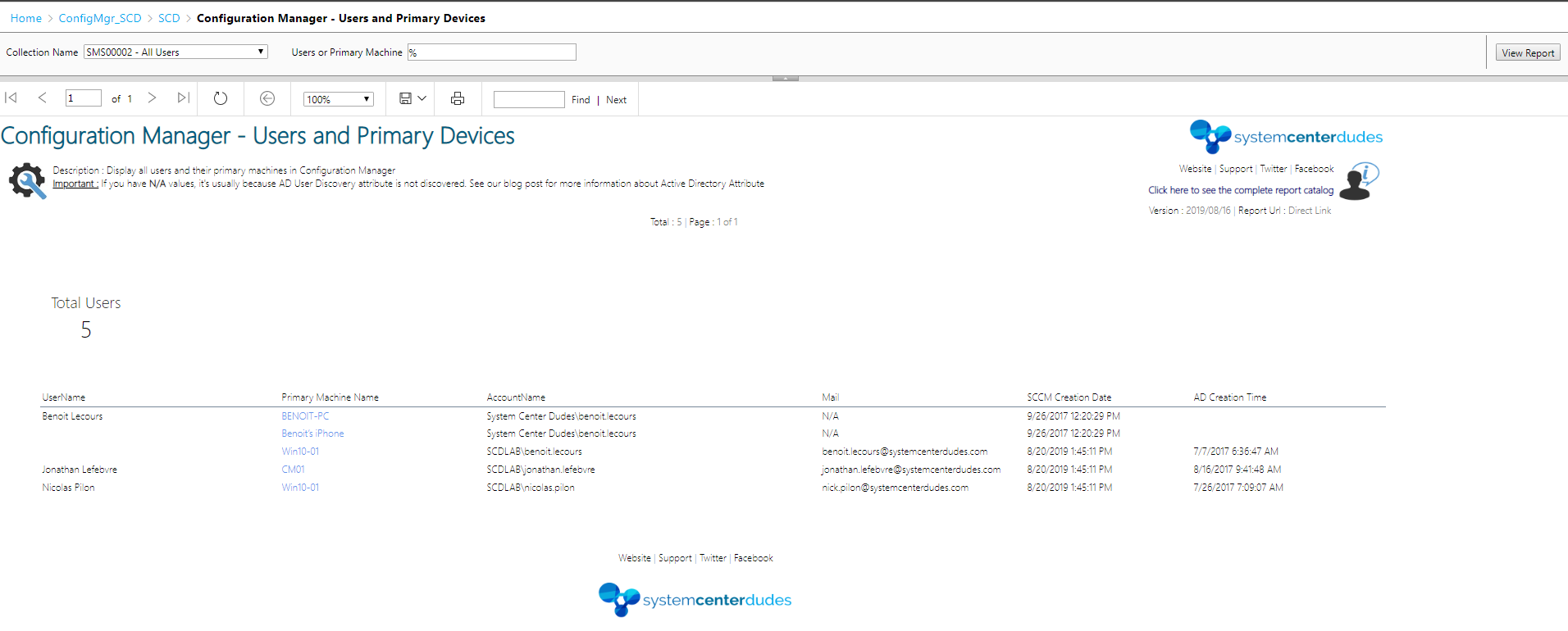
Our free SCCM Primary User Device report list all users and their associated machine or device. You can easily search for a specific user or machine. The report will list all machines associated with a specific user. It can also be scoped by collections.
You can download this free SCCM Primary User Device report by visiting our product page. The Configuration Manager – Users and Primary Devices report is available in the Report / Configuration Manager Section.

Please fill out the form, and one of our representatives will contact you in Less Than 24 Hours. We are open from Monday to Friday.

Thank you for subscribing to our newsletter or requesting a quote. You will receive our next month's newsletter. If you have requested a quote, we will get in touch with you as soon as possible.

Something went wrong!


Thank for your reply!