The PDF file is a 162 pages document that contains all informations to install and configure SCCM Current Branch. Use our products page or use the button below to download it . |
 | This blog post has been updated. Please refer to the new SCCM Current Branch Installation Guide. |
In this part of SCCM 2012 and SCCM 1511 blog series, we will describe how to install a SCCM 2012 R2 or SCCM 1511 Management Point (MP).
Every SCCM hierarchy must have a Management Point to enable client communication. The Management Point is the primary point of contact between Configuration Manager clients and the site server. Management Points can provide clients with installation prerequisites, configuration details, advertisements and software distribution package source file locations. Additionally, Management Points receive inventory data, software metering information and state messages from clients.
Multiple Management Points are used for load-balancing traffic and for clients to continue receiving their policy after Management Point failure. Read about SCCM High-Availability options in this Technet article.
Prior to SCCM 2012 R2 SP1, it was not possible to assign client directly to a specific Management Point. It’s now possible using the new Preferred Management Point feature. If you don’t have SCCM 2012 R2 SP1 yet, be advise that adding a new Management Point in a remote office won’t automatically make your clients communicate to this particular MP. Read about how clients choose their Management Point in this Technet article.
The Management Point is a site-wide option. It’s supported to install this role on a stand-alone Primary site, child Primary site or Seconday site. It’s not supported to install a Management Point on a Central Administration site.
Each primary site can support up to 10 Management Points.
By default, when you install a Secondary site, a Management Point is installed on the Secondary site server. Secondary sites do not support more than one Management Point and this Management Point cannot support mobile devices that are enrolled by Configuration Manager.
See the full Supported Configuration in the following Technet article.
On Windows 2012, the following features must be installed before the Management Point Installation:
Features:
IIS Configuration:


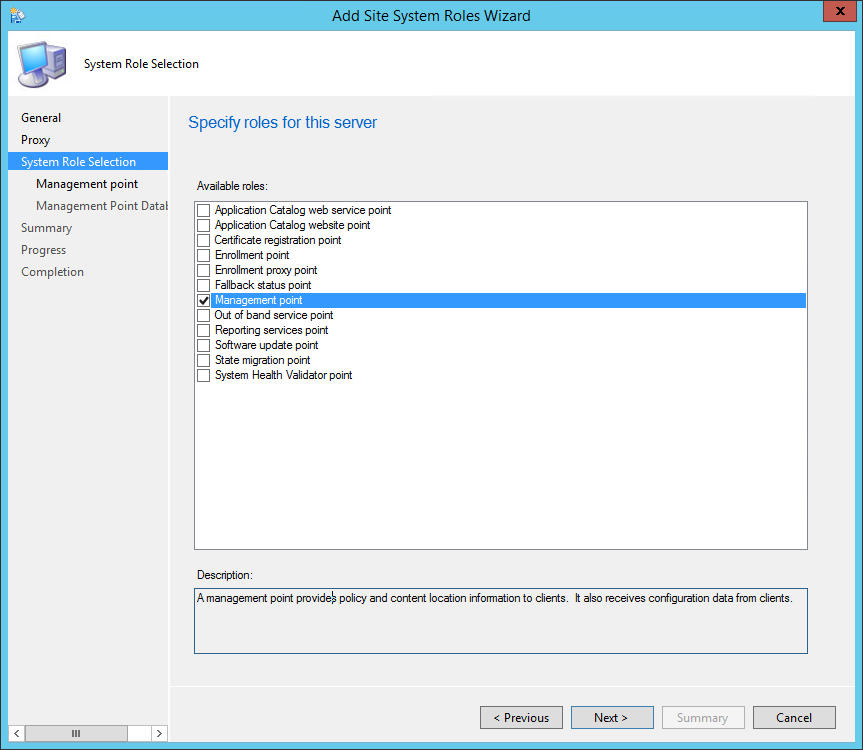
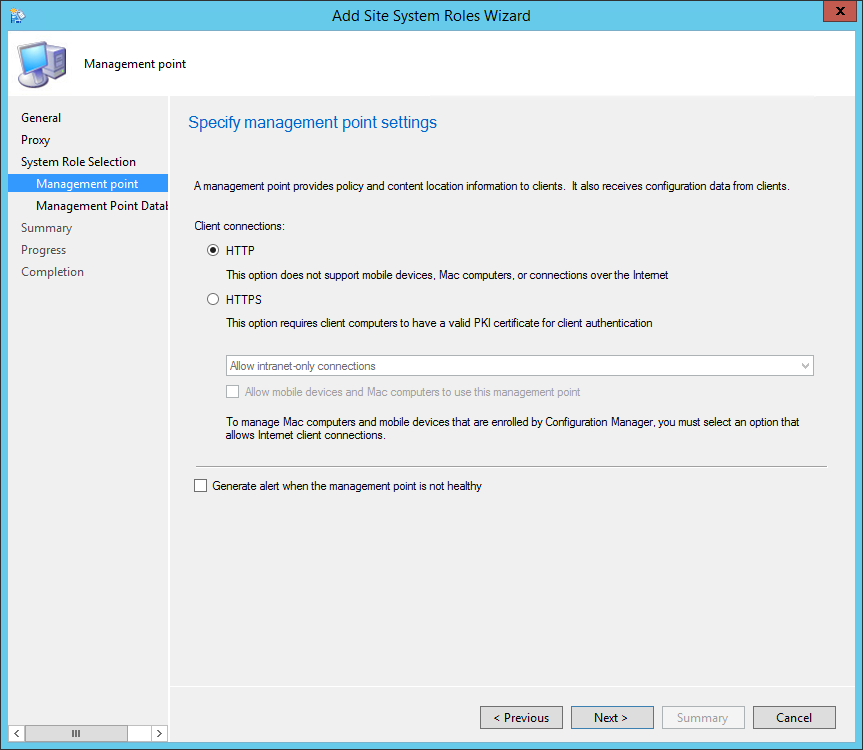
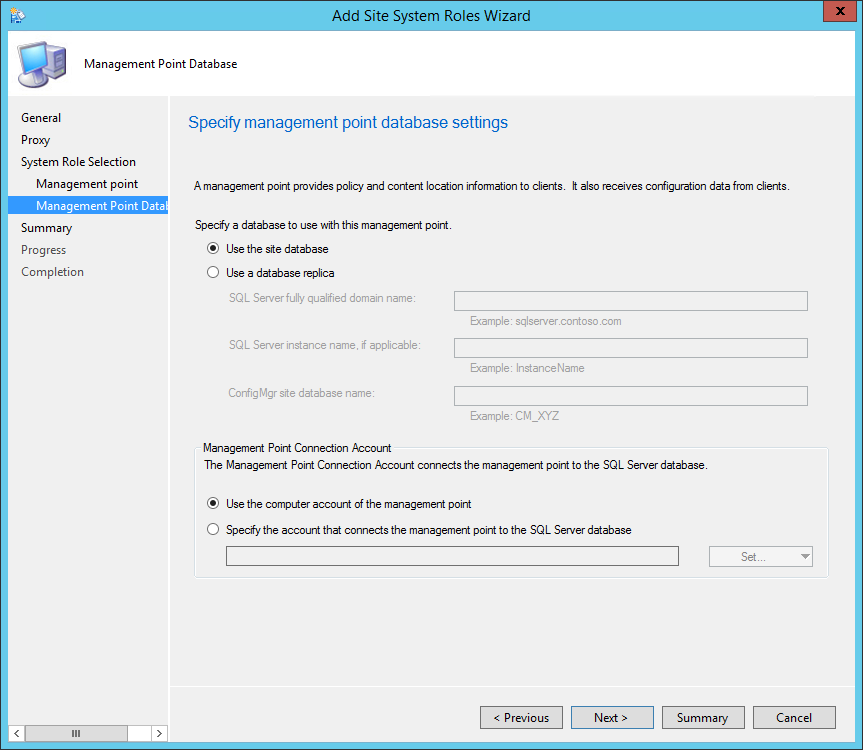
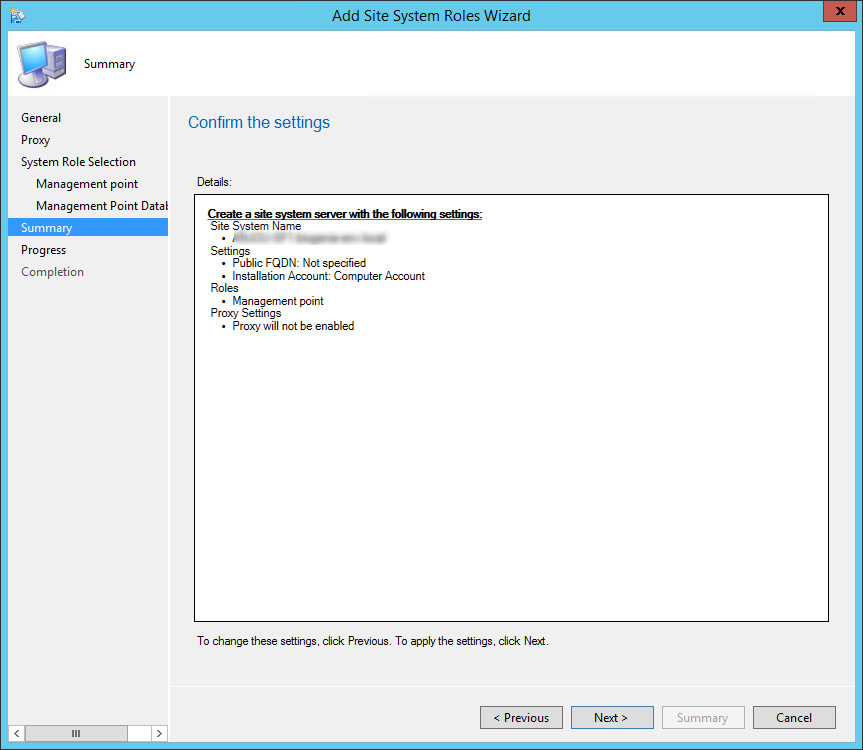
You can verify the installation in the following logs:

Please fill out the form, and one of our representatives will contact you in Less Than 24 Hours. We are open from Monday to Friday.

Thank you for subscribing to our newsletter or requesting a quote. You will receive our next month's newsletter. If you have requested a quote, we will get in touch with you as soon as possible.

Something went wrong!


Thank for your reply!