I often get question about where to start or where to find the best resources about Configuration Manager. I decided to build a list of the best tools to help you manage your SCCM environment. This list will evolve with time so bookmark this page and come back on a regular basis.
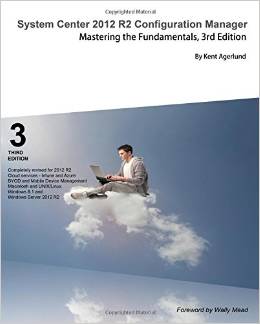
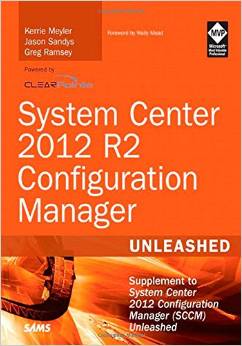
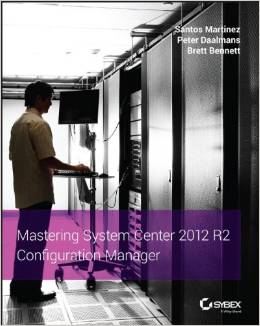
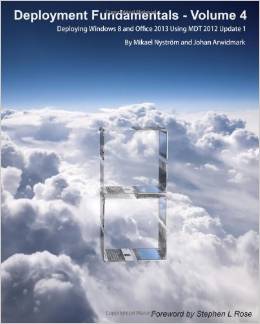
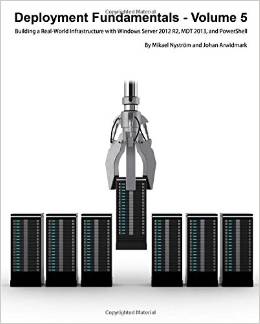
To start learning or to deepen your knowledge, theses are my books recommendation. You can’t go wrong with these authors. They have been working, talking, blogging about SMS/SCCM since forever.
The first 3 are about SCCM in general and the last 3 are more oriented toward system deployments.
Here’s some links to learn about SCCM.
Microsoft Virtual Lab | Installing a demo SCCM environment can be a pain if you don’t have experience. Virutal Labs is THE place to start with SCCM . It allows to run an SCCM virtual machine in your web browser for 2 hours
Channel 9 | You’ll find all session recording of major events like TechED and MMS. The place to watch and re-watch sessions from the best speakers
Resources about the best practices and best tools to install SCCM in your organisation
Prerequisites Installation Tool | Check and Install all prerequisites before a Configuration Manager installation
System Center 2012 Configuration Manager SQL recommendations | Recommendation for SQL before installing SCCM
Optimizing SCCM databases | Script and best practice to manage your SQL database
Index and Statistics Maintenance | Script and best practice to manage your SQL database
The Hydration Kit for System Center 2012 R2 | Builds a complete System Center 2012 R2 infrastructure, and a few supporting infrastructure servers, as either virtual machines or physical machines
SCCM 2012 Migration made easy | SCCM 2007 to 2012 Migration guide
Splitting existing SCCM database into multiple SQL files | Tutorial on how to split your database
WSUS Cleanup Process | Nice article on how to maintain the SUSDB database using a weekly maintenance task
Network Traffic Estimates | Evaluating SCCM client activity impact on your network
Configuration Manager 2012 Sizing considerations | Hardware considerations and System requirements to install Configuration Manager 2012
Scripts and tool to manage SCCM on a daily basis.
Microsoft SCCM Tool Kit | Contains mandatory troubleshooting tools for every Configuration Manager admins
WMI & Powershell browser | Must have tool when playing in WMI and PowerShell
Client Center | Designed for IT Professionals to troubleshoot SCCM Client related Issues. The Client Center for Configuration Manager provides a quick and easy overview of client settings, including running services and Agent settings in a good, easy to use user interface
Right Click Tools | A console Extension to initiate action on your clients and collection
CM12SDK | A nice PowerShell library
Client StartUp Script | Awesome script to install your clients
Front-ends and best practice on Operating System Deployment.
UEFI and Bitlocker FrontEnd HTA | A Frontend for your OSD deployment
UI++ | Another Frontend for your OSD deployment
How to Master Drivers in SCCM 2012 | Great guide on how to manage drivers in SCCM 2012 using apply Driver Packages
Windows Noob Guides | A great starting point for deploying your first devices
Backup and restore your Task Sequence using PowerShell | Great tool to restore corrupt Task Sequences
Create Task sequence Using PowerShell | In case you are lazy
To master application and package deployment.
ITNinja | Community for silent package and applications installations
PowerShell Deployment Toolkit | Provides a set of functions to perform common application deployment tasks and to interact with the user during a deployment
Email Appoval Tool | This utility integrate a real approval flow with the standard SCCM 2012 application request feature
Exploit every bit of data from the SCCM database by creating simple and effective reports
Create Custom Reports | How to create a dashboard for System Center 2012 R2 Configuration Manager using SQL 2012 Reporting Services and Report Builder 3.0
SCD Reports | Our own set of custom reports

Please fill out the form, and one of our representatives will contact you in Less Than 24 Hours. We are open from Monday to Friday.

Thank you for subscribing to our newsletter or requesting a quote. You will receive our next month's newsletter. If you have requested a quote, we will get in touch with you as soon as possible.

Something went wrong!



Thank for your reply!