Using Powershell you can do many things in SCCM. Over the years, in many SCCM consulting projects we got involved in, we get the same question: “Can you create SCCM collections for Servers, Laptops, Workstations, Windows 10…”. Back in 2015, I started to build an SCCM collection PowerShell script to create SCCM operational collections which we make just after an SCCM installation. With time, I added more and more collections to the script. Fast forward to today, the script now contains 148 collections and has been downloaded more than 75 000 times making this PowerShell script my most downloaded contribution to the community.
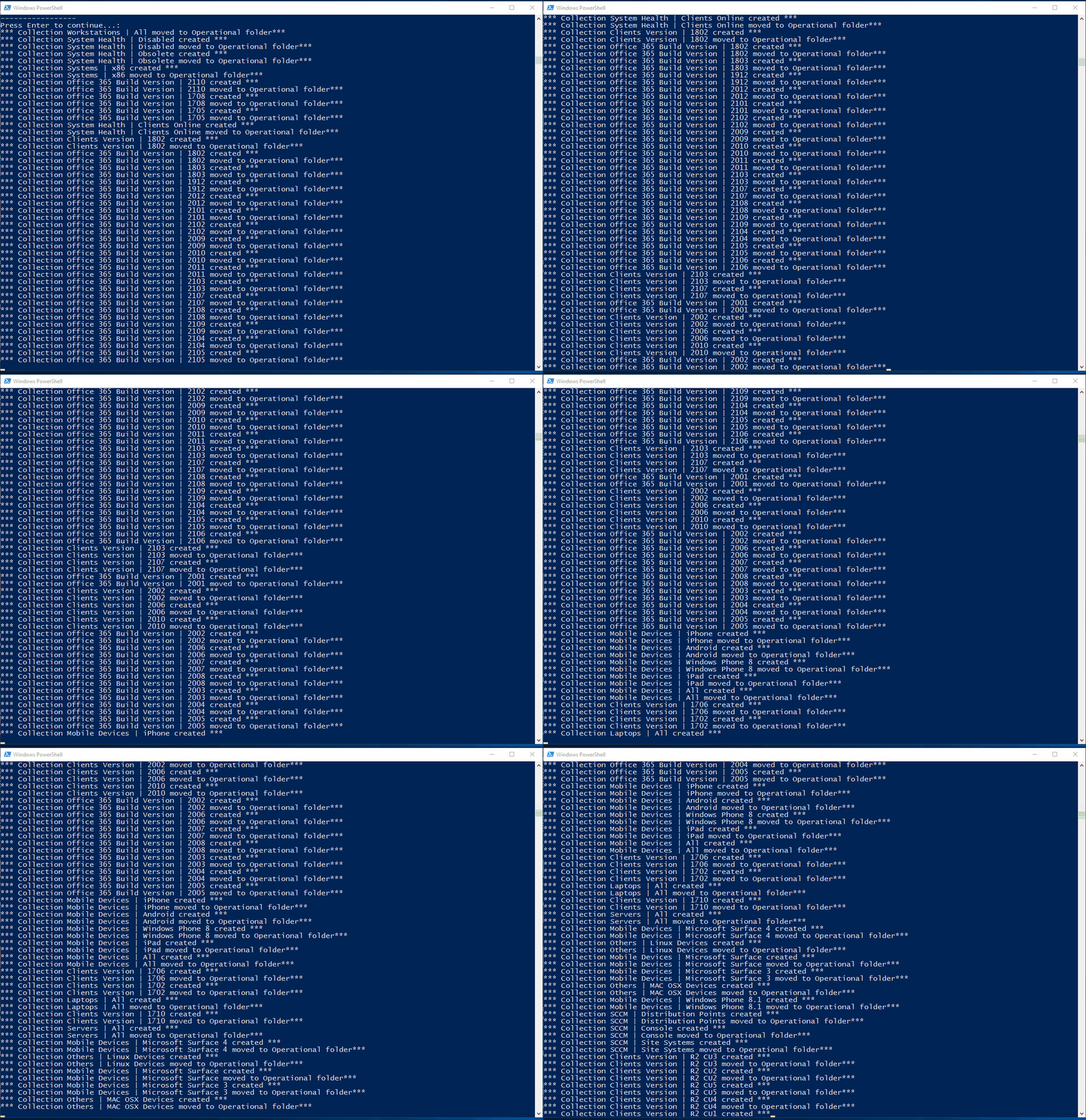
This set of collections usually covers 95% of the initial client needs. All you need to do is run the SCCM collection PowerShell script on your SCCM server and wait. In about 5 minutes, you’ll end up having 155 collections in an Operational folder.
The SCCM collections are set to refresh on a 7-day schedule. Once created, you can use these collections to have a quick overview of your devices. You can also use these collections to create deployment collections by using limiting collections on these.
The script uses the New-CMDeviceCollection and Add-CMDeviceCollectionQueryMembershipRule cmdlet.
Features :
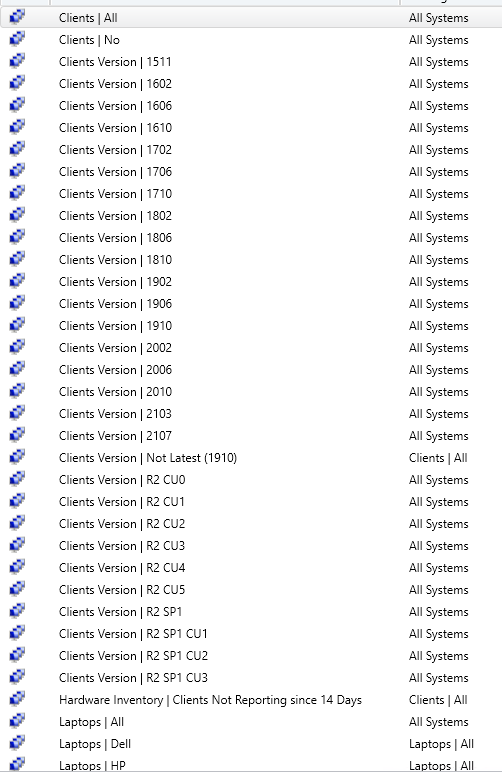
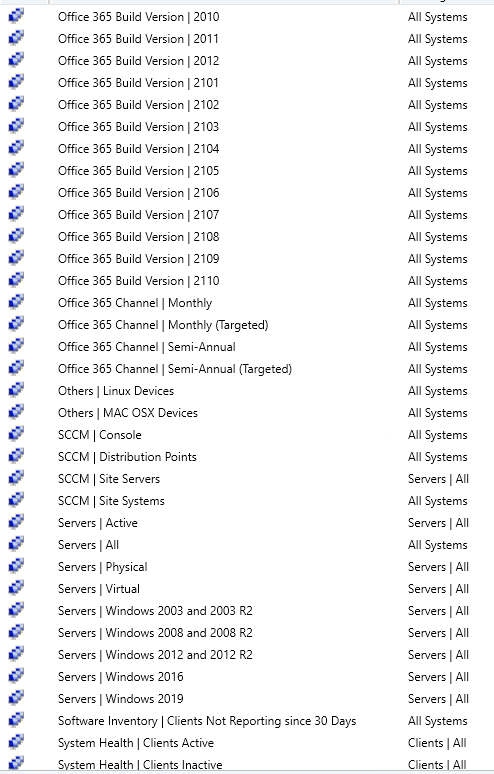
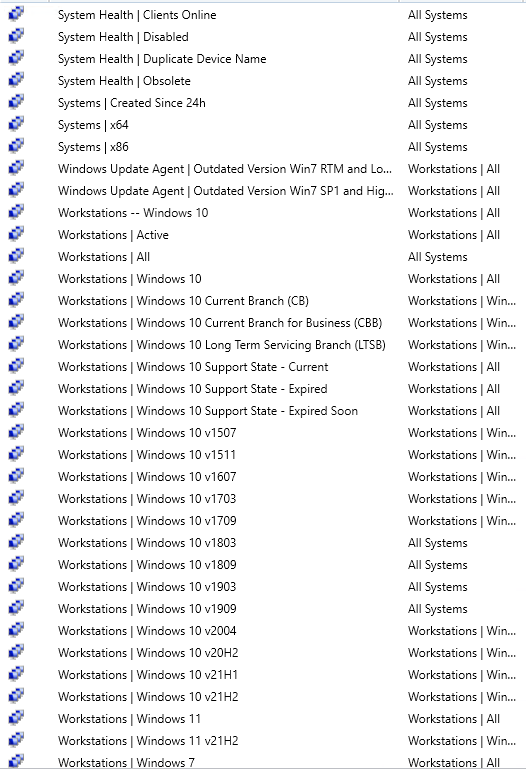
Here’s the full SCCM collection that the script Powershell creates:
The script will detect if the collection has already been created. It will give a warning and create only new collections that have been added since the last time the script was run.
If you are comfortable editing scripts, you can comment on any unwanted collections using (#) at each section line.
Ex:
#$Collections +=
#$DummyObject |
#Select-Object @{L=”Name”
#; E={“Clients Version | R2 CU5″}},@{L=”Query”
#; E={“select #SMS_R_SYSTEM.ResourceID,SMS_R_SYSTEM.ResourceType,SMS_R_SYSTEM.Name,SMS_R_SYSTEM.SMSUniqueIdentifie#r,SMS_R_SYSTEM.ResourceDomainORWorkgroup,SMS_R_SYSTEM.Client from SMS_R_System
#where SMS_R_System.ClientVersion = ‘5.00.7958.1604’”}},@{L=”LimitingCollection”
#; E={$LimitingCollection}},@{L=”Comment”
#; E={“All systems with SCCM client version R2 CU5 installed”}}
#New-CMDeviceCollection -Name $Collection1.Name -LimitingCollectionName $LimitingCollection -RefreshSchedule $Schedule -RefreshType 2
#Add-CMDeviceCollectionQueryMembershipRule -CollectionName $Collection1.Name -QueryExpression $Collection1.Query -RuleName $Collection1.Name
The SCCM collection PowerShell script can be downloaded from my GitHub repo.
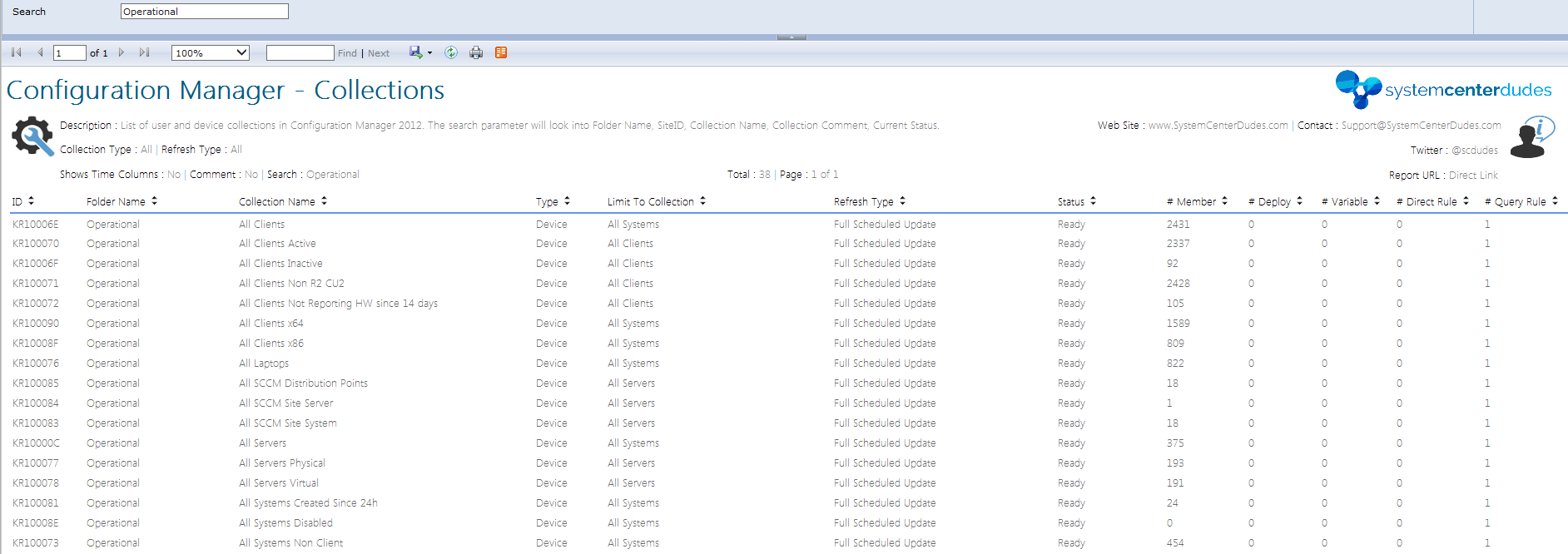
Extra hint: You can also verify if your collection has been created properly in your collections with our Configuration Manager – Collections report. Sort the report by the Operational folder name
#############################################################################
# Author  : Benoit Lecours
# Website : www.SystemCenterDudes.com
# Twitter : @scdudes
#
# Version : 3.7
# Created : 2014/07/17
# Modified :
# 2014/08/14 - Added Collection 34,35,36
# 2014/09/23 - Changed collection 4 to CU3 instead of CU2
# 2015/01/30 - Improve Android collection
# 2015/02/03 - Changed collection 4 to CU4 instead of CU3
# 2015/05/06 - Changed collection 4 to CU5 instead of CU4
# 2015/05/06 - Changed collection 4 to SP1 instead of CU5
#            - Add collections 37 to 42
# 2015/08/04 - Add collection 43,44
#            - Changed collection 4 to SP1 CU1 instead of SP1
# 2015/08/06 - Change collection 22 query
# 2015/08/12 - Added Windows 10 - Collection 45
# 2015/11/10 - Changed collection 4 to SP1 CU2 instead of CU1, Add collection 46
# 2015/12/04 - Changed collection 4 to SCCM 1511 instead of CU2, Add collection 47
# 2016/02/16 - Add collection 48 and 49. Complete Revamp of Collections naming. Comment added on all collections
# 2016/03/03 - Add collection 51
# 2016/03/14 - Add collection 52
# 2016/03/15 - Added Error handling and better output
# 2016/08/08 - Add collection 53-56. Modification to collection 4,31,32,33
# 2016/09/14 - Add collection 57
# 2016/10/03 - Add collection 58 to 63
# 2016/10/14 - Add collection 64 to 67
# 2016/10/28 - Bug fixes and updated collection 50
# 2016/11/18 - Add collection 68
# 2017/02/03 - Corrected collection 39 and 68
# 2017/03/27 - Add collection 69,70,71
# 2017/08/25 - Add collection 72
# 2017/11/21 - Add collection 73
# 2018/02/12 - Add collection 74-76. Changed "=" instead of like for OS Build Collections
# 2018/03/27 - Add collection 77-81. Corrected Collection 75,76 to limit to Workstations only. Collection 73 updated to include 1710 Hotfix
# 2018/07/04 - Version 3.0
#            - Add Collection 82-87
#            - Optimized script to run with objects, extended options for replacing existing collections, and collection folder creation when not on site server.
# 2018/08/01 - Add Collection 88
# 2019/04/04 - Add Collection 89-91
# 2019/09/17 - Add Collection 92-94, Windows 2019, Updated Windows 2016
# 2020/01/09 - Add Collection 95-100
# 2021/11/22 - Add Collection 100-133
# 2022/08/24 - Add Collection 133-148
# 2024/11/07 - Add Collection 149-155
#
################################################################################
If you want to add a collection to the list, feel free to contact me using our social media or use the comment section. It will be our pleasure to add it to the next version.

Please fill out the form, and one of our representatives will contact you in Less Than 24 Hours. We are open from Monday to Friday.

Thank you for subscribing to our newsletter or requesting a quote. You will receive our next month's newsletter. If you have requested a quote, we will get in touch with you as soon as possible.

Something went wrong!


Thank for your reply!