We came across an issue today while adding Windows 7 drivers for a new computer model to be deployed by SCCM. After deployment, the computer was showing an Unknown device warning in Device Manager even after installing all available drivers for the model. (Sorry for french screenshots)
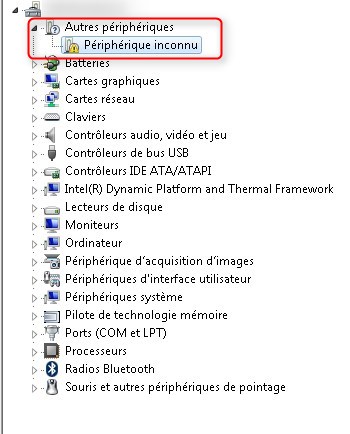
The first step to troubleshoot this issue is to get the Device ID of the unknown device.
In the Properties of the faulty device, Details tab, note the Device ID for the device : ACPI\MSFT0101
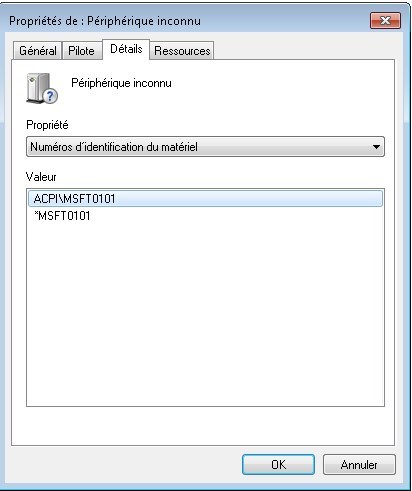
When searching for the Device ID on the web, you will find out that this is the Trusted Platform Module (TPM) chip.
But why is it showing as unknown ? CAB files from DELL usually provide all necessary drivers.
When launching TMP.msc, we get an error that the TPM is not available :
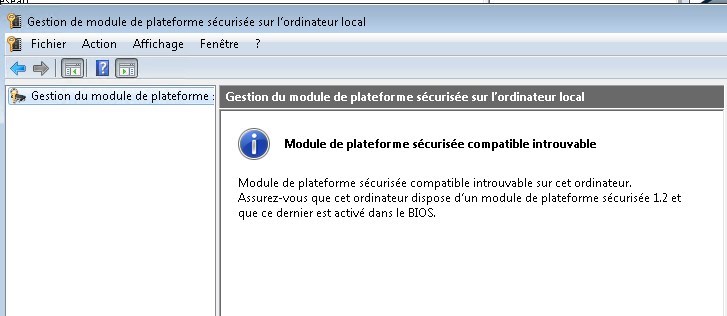
If we disable TPM in the BIOS, the Unknown device is gone. But this is not the solution as this will prevent using BitLocker.
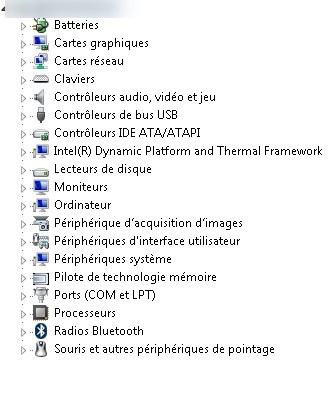
Windows 7 is not compatible by default with TPM v2.0 chips.
The solution is to install an on-demand KB2920188 from Microsoft.
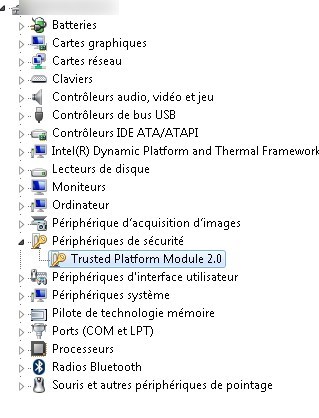
After installing KB2920188, the Trusted Platform Module 2.0 is correctly installed.
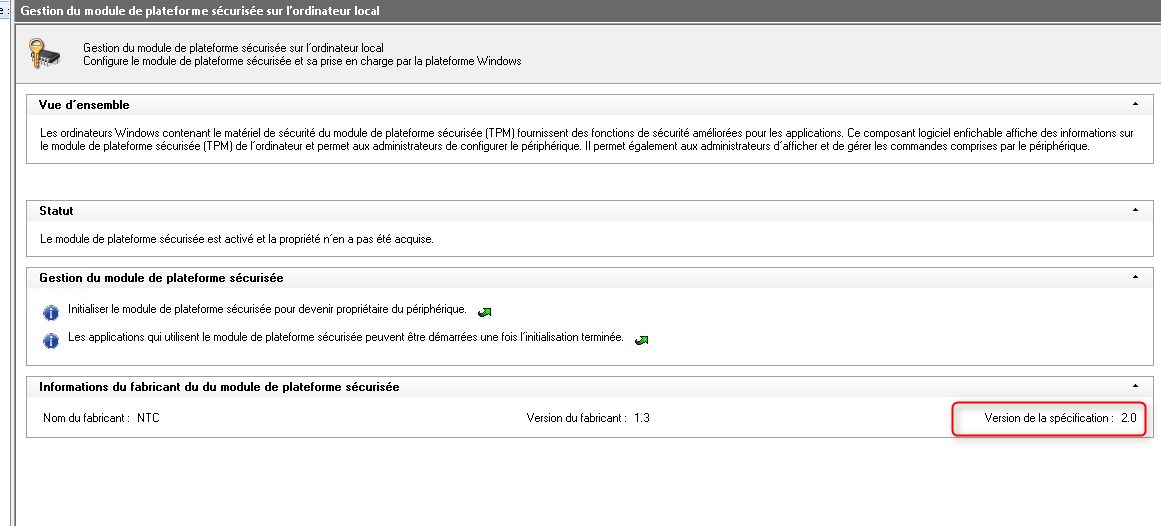
Lauching TPM.msc, it shows that TPM can now be used and showing version 2.0.

Please fill out the form, and one of our representatives will contact you in Less Than 24 Hours. We are open from Monday to Friday.

Thank you for subscribing to our newsletter or requesting a quote. You will receive our next month's newsletter. If you have requested a quote, we will get in touch with you as soon as possible.

Something went wrong!


Thank for your reply!