Consulting Services Need help with your SCCM infrastructure ? Consult our fixed price consulting plans to see our rates or contact us for a custom quote. |
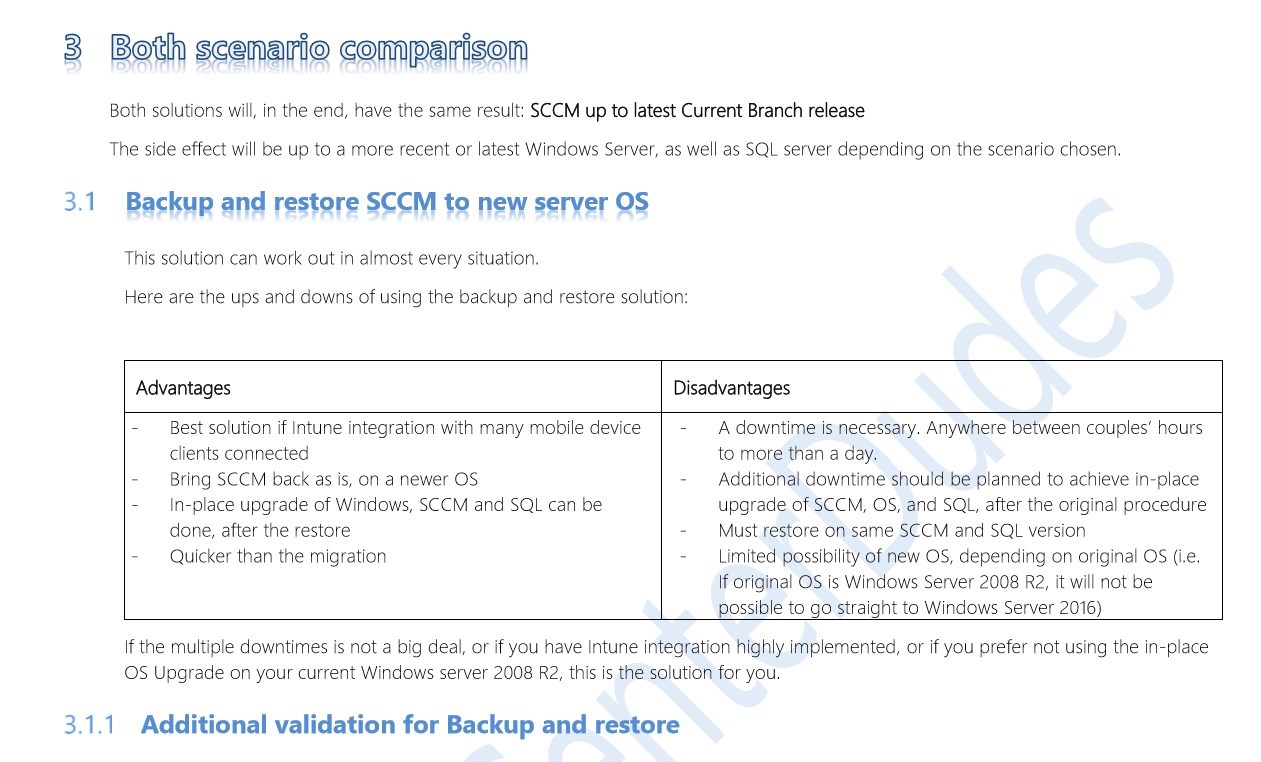
With the release rhythm of SCCM and latest requirements on the OS and SQL side, sometimes, it’s inevitable to migrate to a newer operating system to remain under support and also gain new features as part of the latest SCCM Current Branch release. This product is a complete SCCM Migration Guide.
Over the years, we’ve done many migrations of all kinds, depending on the environment and needs. We created this complete SCCM Migration to a new operating system guide based on our knowledge and experience.
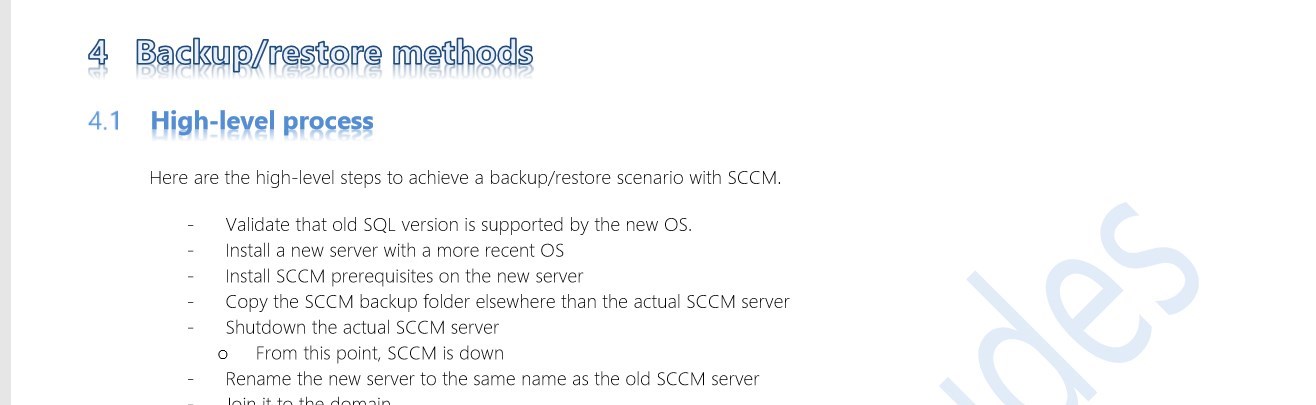
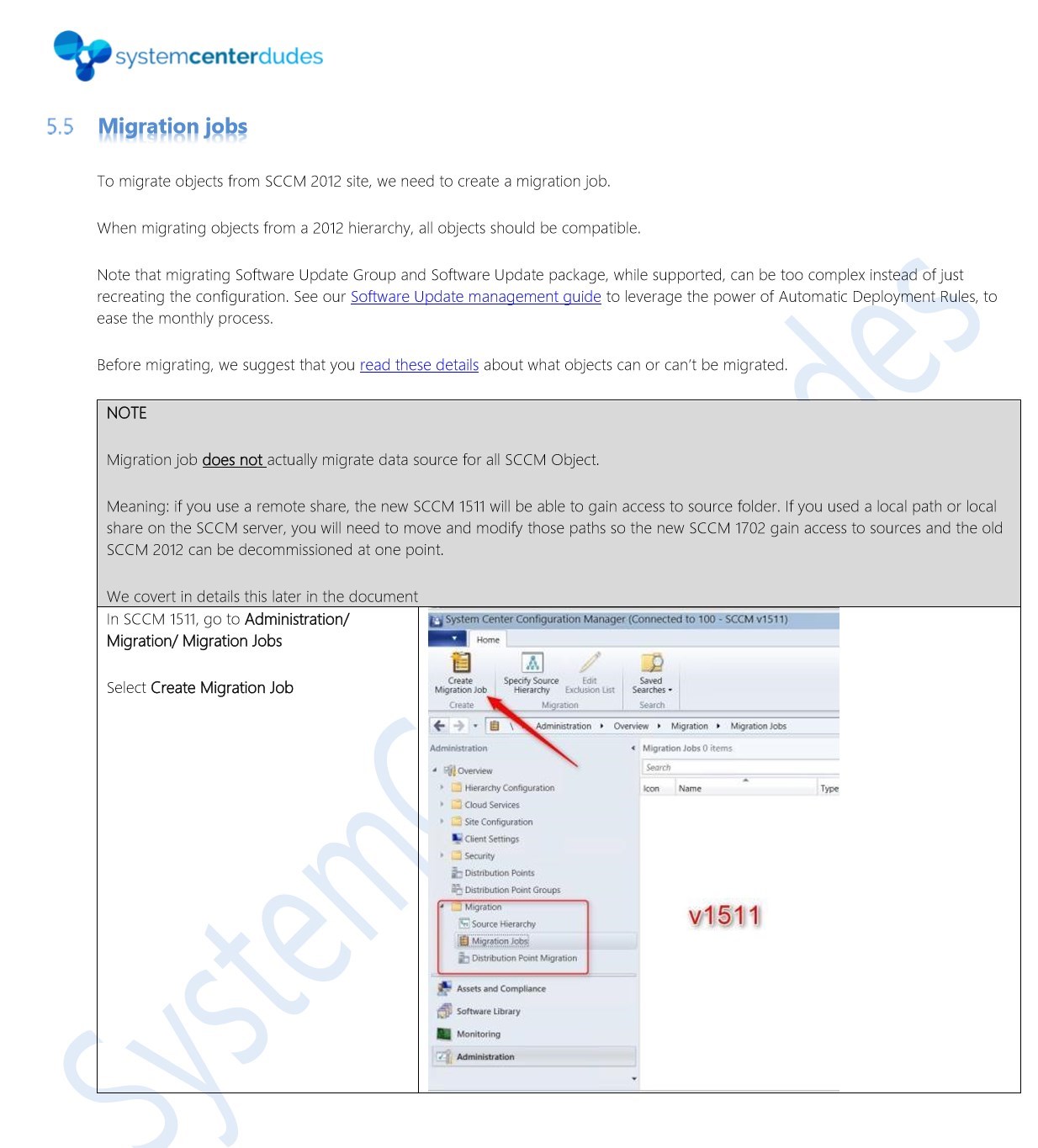
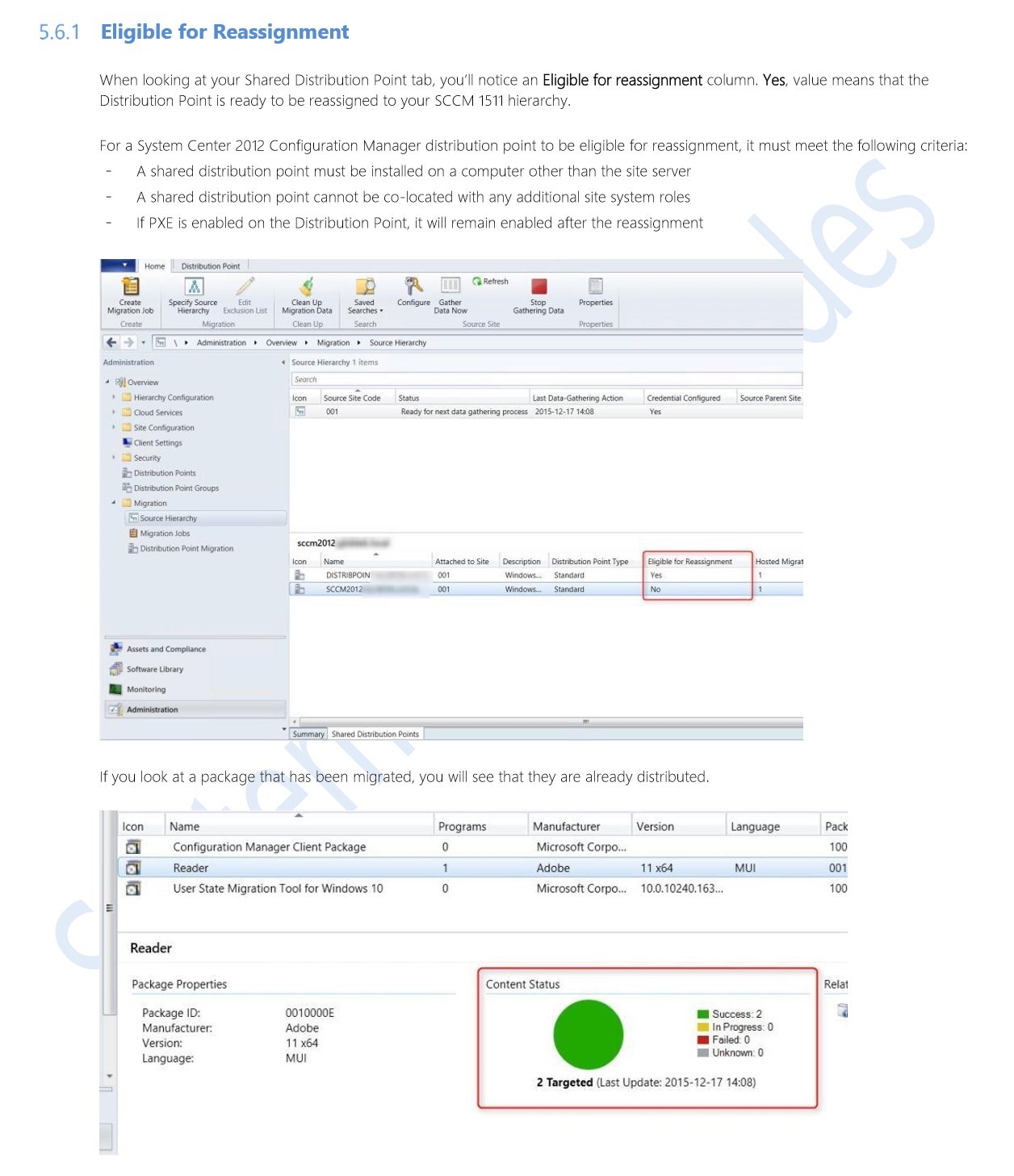
This guide is a refreshed version of our previous post about Side-by-Side Migration to new Hardware. It also includes answers and how-tos to the most commonly asked questions on side-by-side migration. Also included: all the details to achieve the migration to a new operating system by using the Backup and Restore strategy.
This guide aims to help SCCM administrator evaluate, plan, understand and achieve a migration to a newer operating system for the SCCM site server.
The guide will help you achieve these tasks:
This guide does not cover how to do In-place OS Upgrade for SCCM site server
This guide does not cover how to upgrade SQL
The PDF file is a 62 pages document that contains all information to help SCCM administrator evaluate, plan, understand and achieve a migration to a newer operating system for the SCCM site server. Use our products page or use the button below to download it. |
|---|

Please fill out the form, and one of our representatives will contact you in Less Than 24 Hours. We are open from Monday to Friday.

Thank you for subscribing to our newsletter or requesting a quote. You will receive our next month's newsletter. If you have requested a quote, we will get in touch with you as soon as possible.

Something went wrong!


Thank for your reply!