Managing security on mobile devices is very important. DLP (Data Loss Prevention) requests are one thing that keeps us very busy with our customers. One feature that can sometimes be a security risk is AirDrop on iOS devices. AirDrop is a feature that enables users to quickly send files between iPhones, iPads, and Macs. However, this feature can be used to send sensitive data without permission. To prevent this, you can block AirDrop on iOS devices using Microsoft Intune. This step-by-step blog will show you how to block AirDrop on iOS devices.

AirDrop is a great tool for sharing files, but it can be dangerous in a corporate environment. If AirDrop is left open, users can send files to each other without any security checks. This could result in unauthorized access to sensitive company information. By blocking AirDrop, you help protect your company’s data and ensure that employee don’t send corporate documents to their personal devices.
Before going forward, you need to know that blocking Airdrop on iOS device is supported only on supervised devices.
Once you’re logged in, you need to create a new configuration profile for your iOS devices. This is where you will set the rules for the devices, including blocking AirDrop.
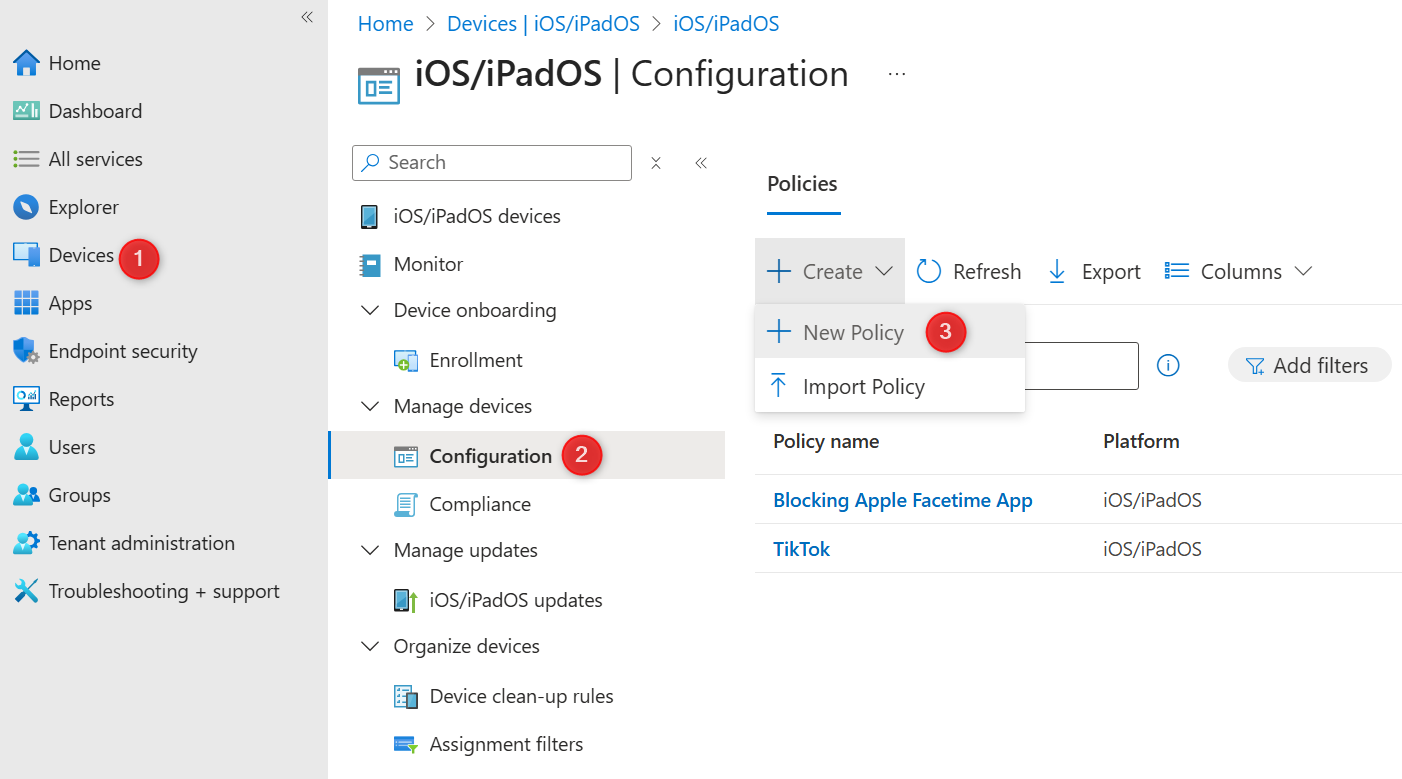
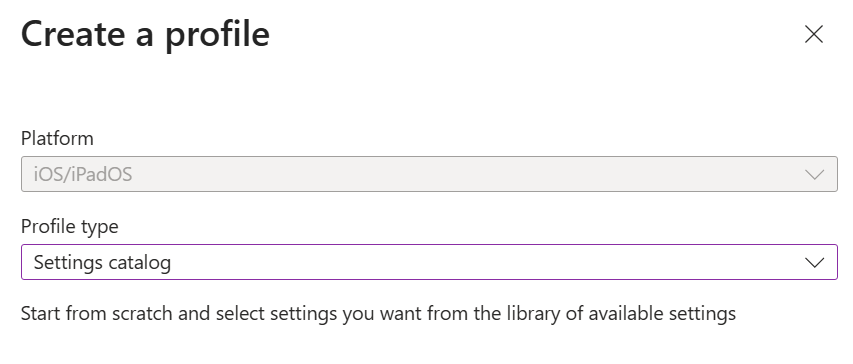
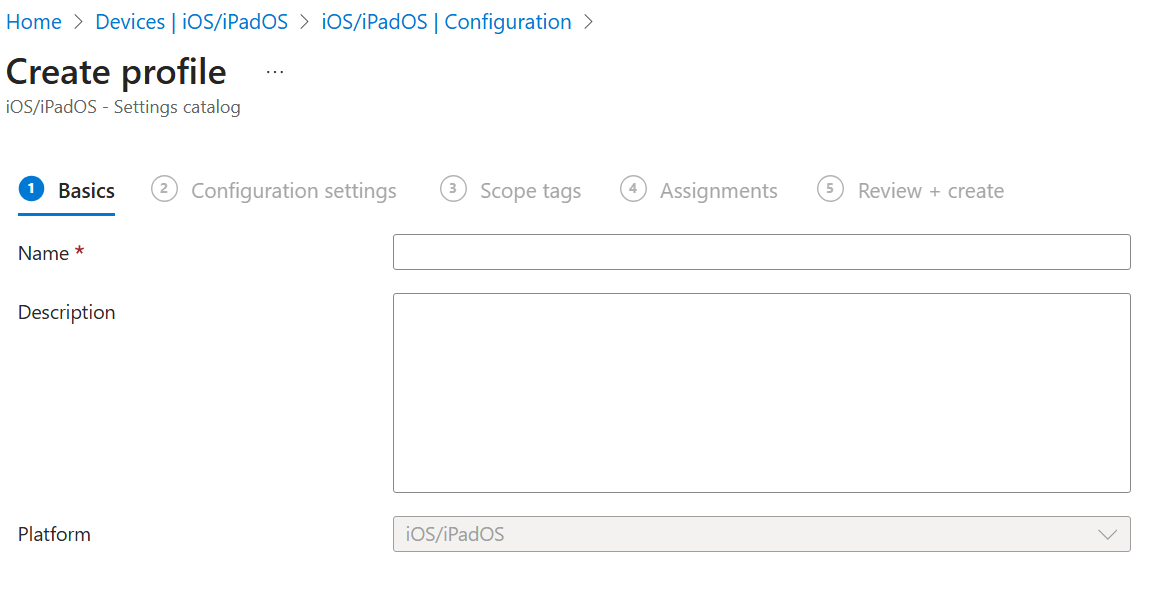
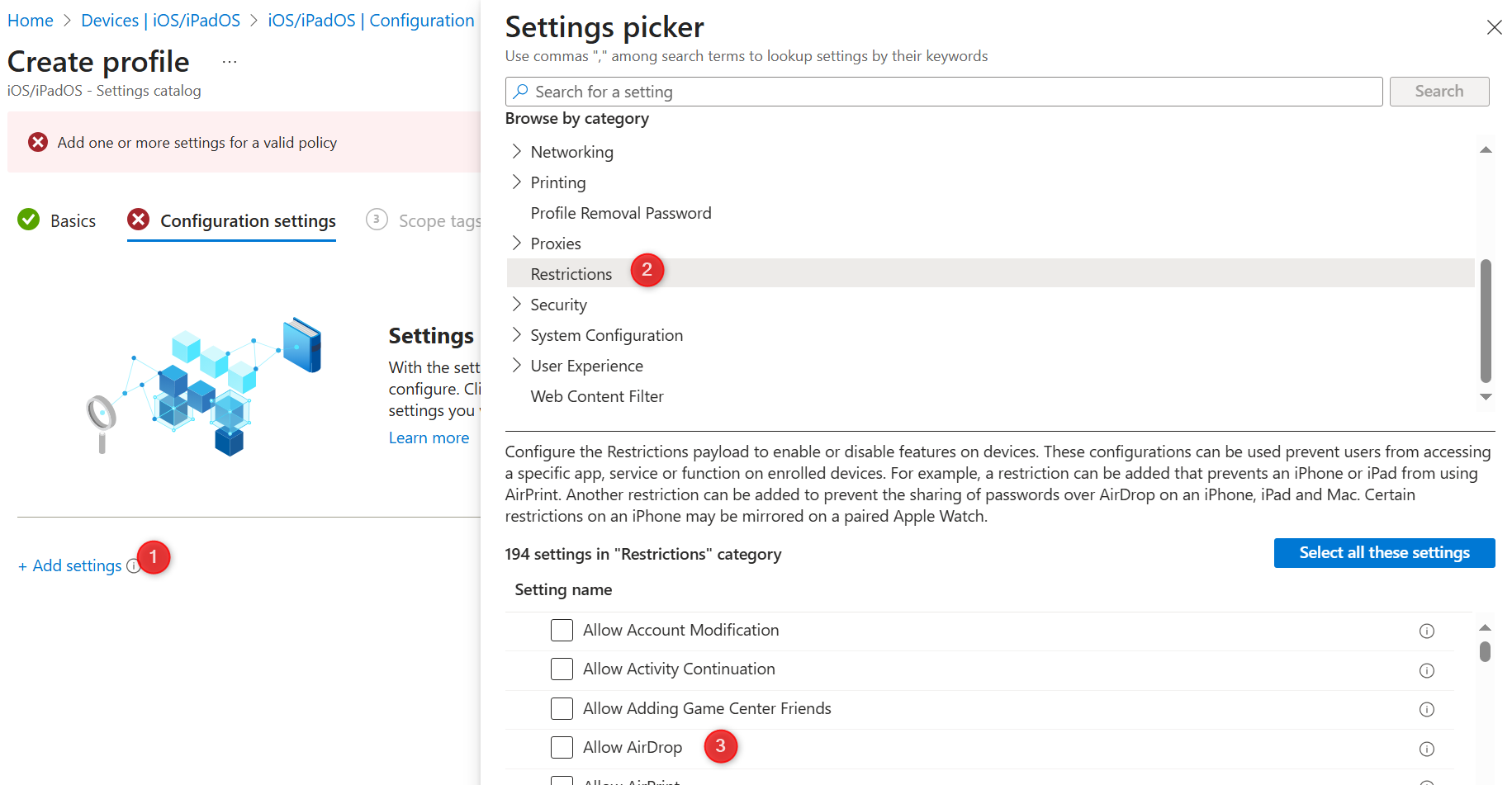
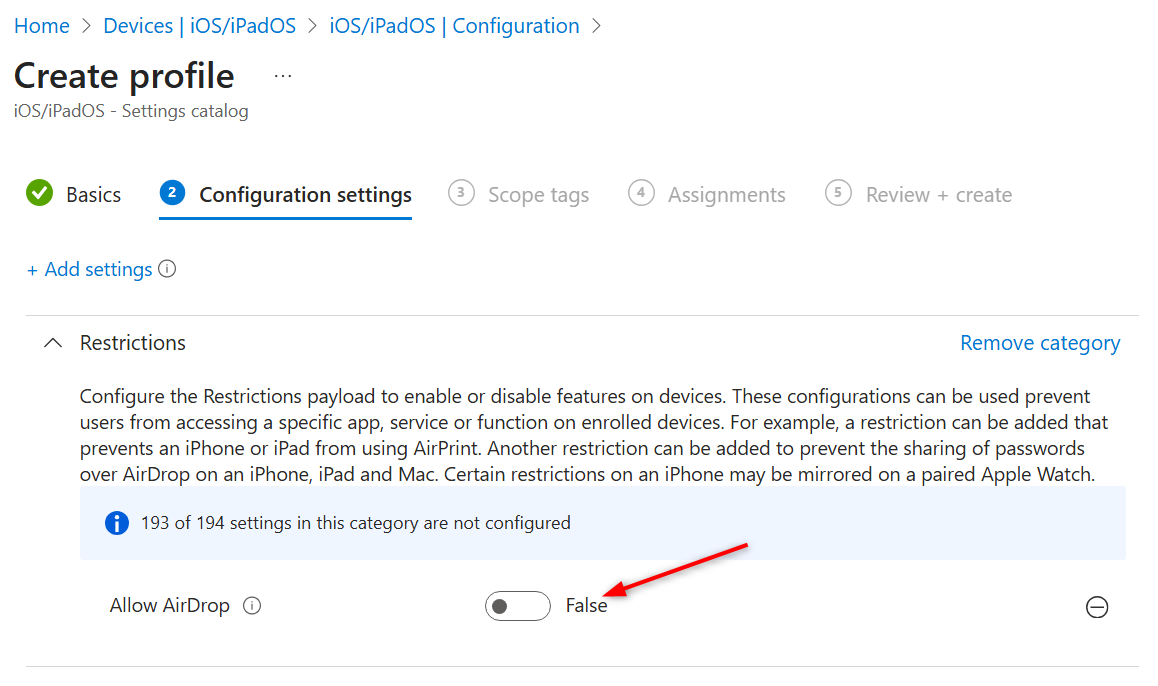
Once the configuration profile is ready, you need to assign it to your iOS devices.
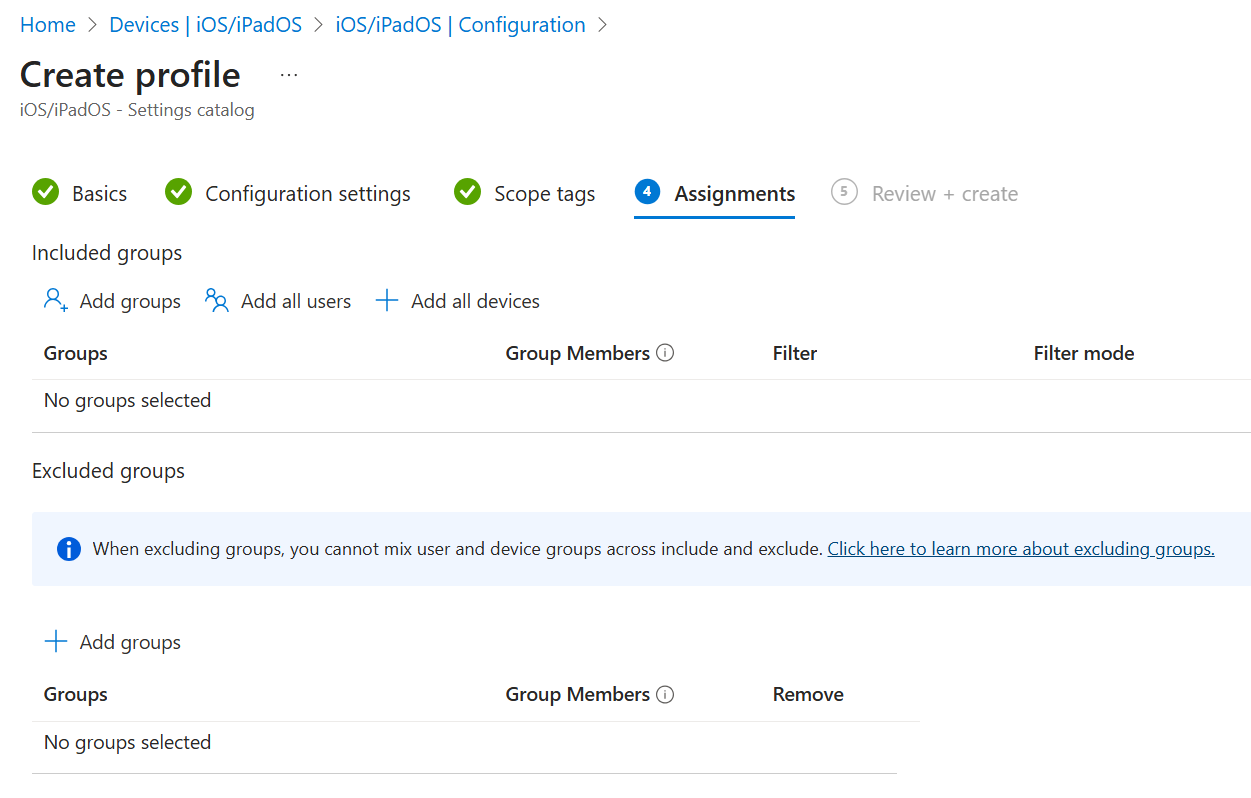
After selecting the device groups, click Save to apply the settings. Intune will then push this configuration to the assigned devices. Once the devices are updated, AirDrop will be blocked, and users will not be able to use it. The icon will disappear from the choices when you want to share a photo or document.
Blocking AirDrop on iOS devices using Intune is a simple and effective way to improve your company’s security. By disabling AirDrop, you reduce the risk of unauthorized data transfers and keep your sensitive information safe. It is essential to regularly check and update your device policies in Intune to ensure your devices are secure.
If you need to make any changes to this setting later, you can always go back to the Intune admin center and update the profile. Intune gives you full control over device settings, making it easier to manage security in your organization.

Please fill out the form, and one of our representatives will contact you in Less Than 24 Hours. We are open from Monday to Friday.

Thank you for subscribing to our newsletter or requesting a quote. You will receive our next month's newsletter. If you have requested a quote, we will get in touch with you as soon as possible.

Something went wrong!


Thank for your reply!