Microsoft has introduced Hotpatch for Windows 11 Enterprise, a feature that allows you to apply critical security updates without rebooting the device. For IT admins, this is a game-changer: fewer interruptions, faster compliance, and happier end users.
In this Intune Windows Hotpatch post, we’ll cover:
Hotpatch is a servicing innovation that delivers Monthly “B” release security updates without requiring a reboot. Traditionally, patching meant downtime — users had to restart their devices to apply updates. With Hotpatch:
Originally introduced for Windows Server Azure Edition, Hotpatch is now available for Windows 11 Enterprise devices managed with Intune and Windows Autopatch.
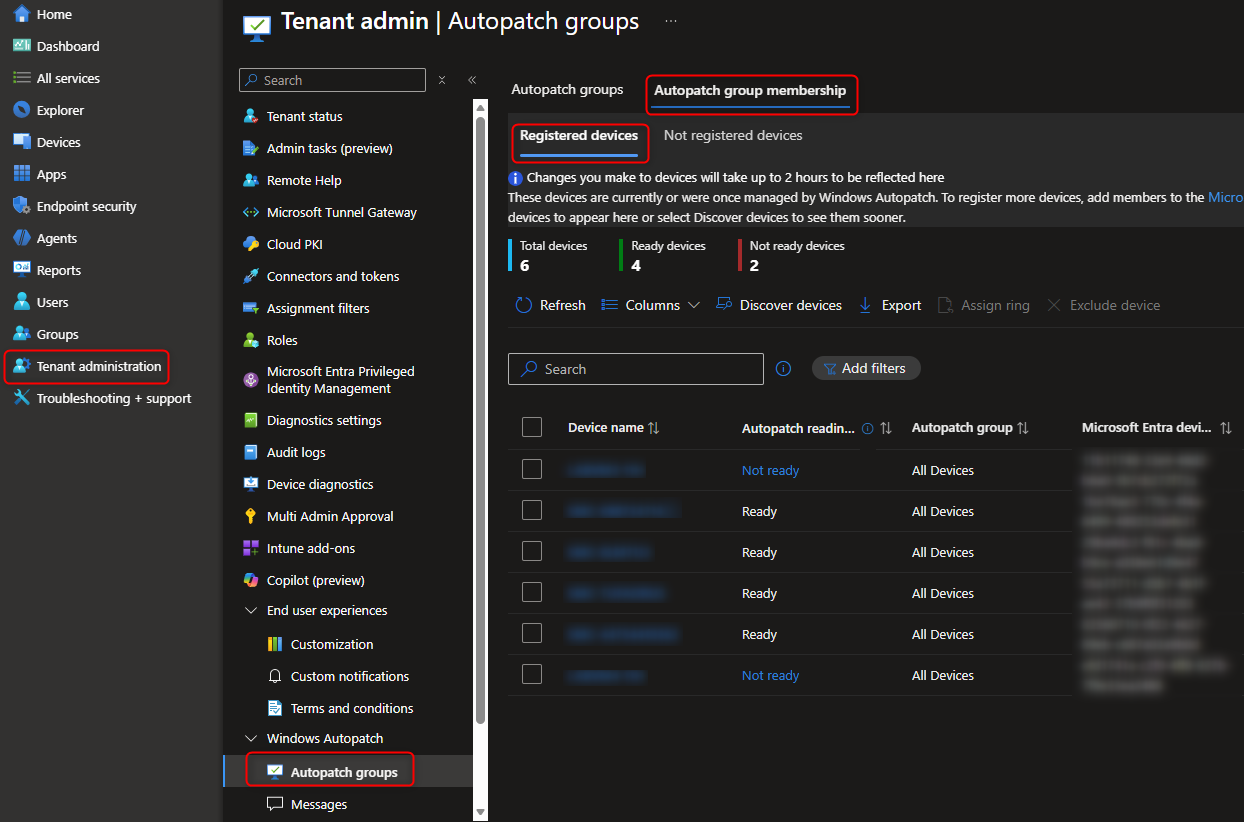
Before enabling Hotpatch, make sure:
Note: Devices marked as Not ready are registered, but Autopatch detected conflicting settings that would prevent updates from applying. They could be registered for Hotpatch, but would not be patched until remediated.

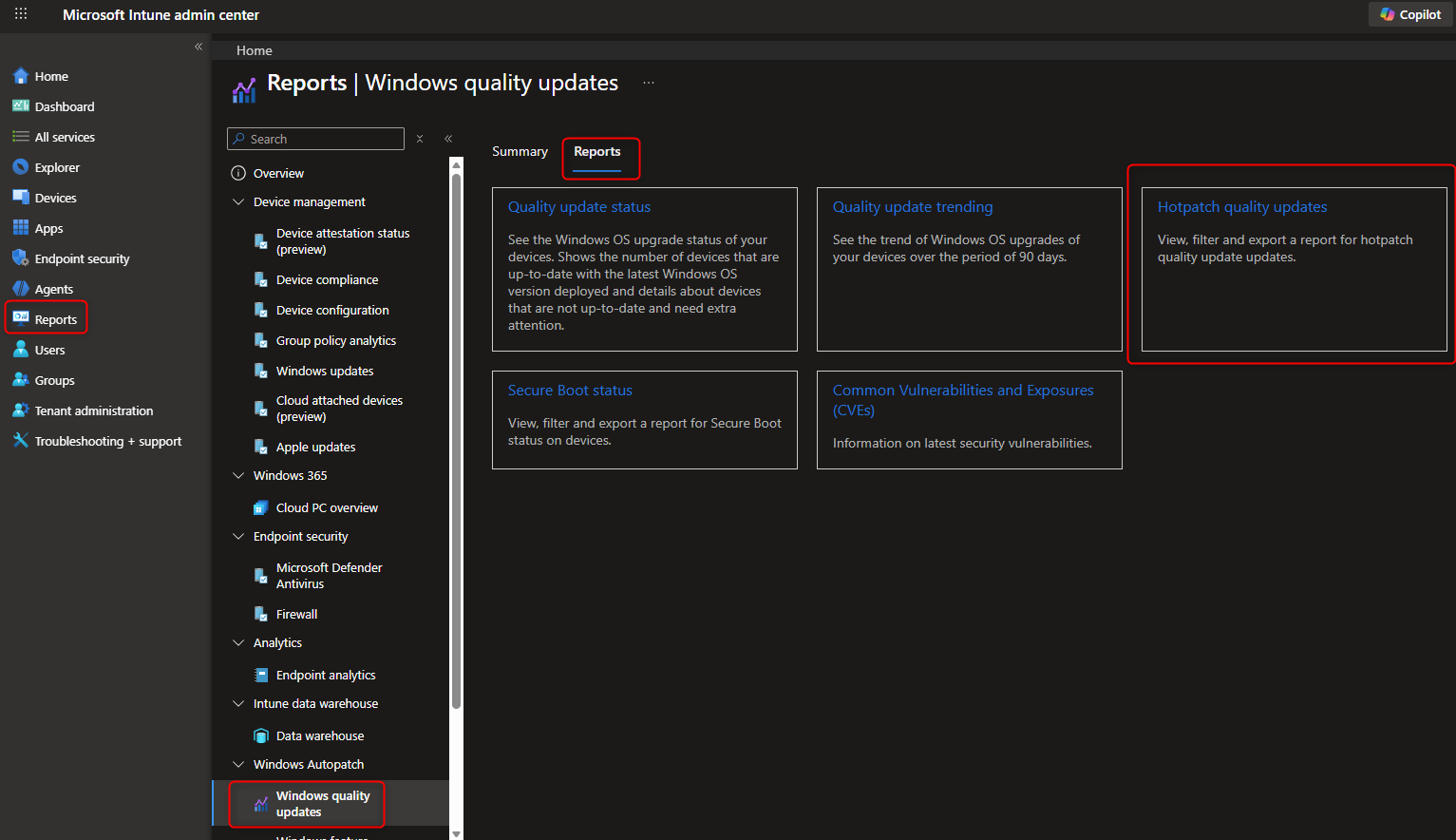
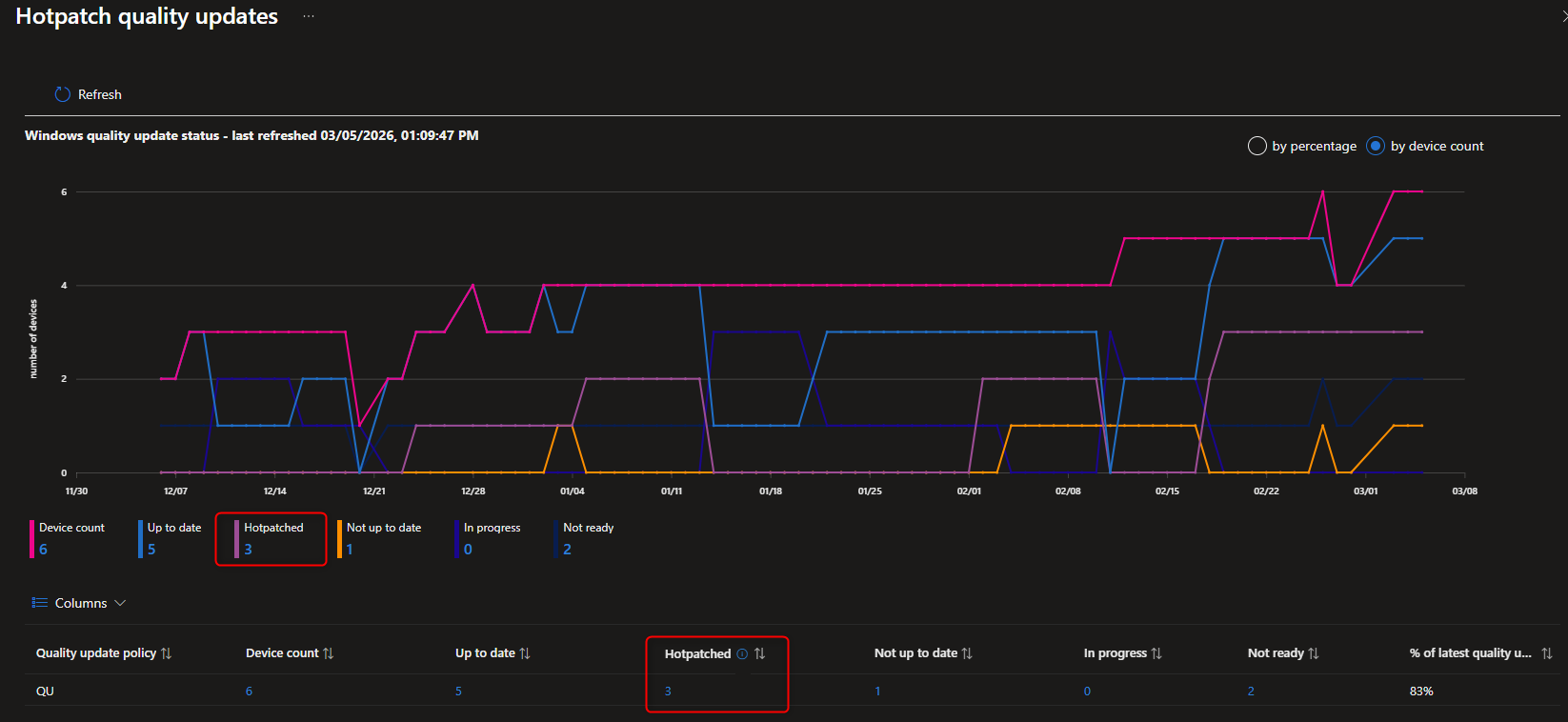
From the user’s perspective:
This means fewer interruptions, smoother workflows, and higher productivity. This also means the computers will now restart only once every 3 months, which could affect performance and application/OS reliability.
Hotpatch is one of the most impactful updates to Windows servicing in years. By combining Intune and Windows Autopatch, IT admins can deliver security updates with zero downtime for end users. If you’re managing Windows 11 Enterprise devices, enabling Hotpatch should be high on your roadmap.

Please fill out the form, and one of our representatives will contact you in Less Than 24 Hours. We are open from Monday to Friday.

Thank you for subscribing to our newsletter or requesting a quote. You will receive our next month's newsletter. If you have requested a quote, we will get in touch with you as soon as possible.

Something went wrong!


Thank for your reply!