With Windows 10 going end-of-life in a little more than a year from now (October 2025), it is time, yet again, to plan, prepare and roll out the newest version, Windows 11. Thankfully, this should be way easier than past experiences with many solutions available and the great work from Microsoft to ease such Feature updates. This post will detail how to roll out Windows 11 24h2 Upgrade using Intune.
Before deploying a Windows feature update there are some obvious requirements :
Windows 10 edition that supports the Windows 11 upgrade :
Windows Pro SKU can receive the Feature Update policy, but will be minimum support. For example, the Gradual rollout won’t work on Pro SKU. The Windows LTSC version doesn’t support this upgrade method.
In Intune, we’ll create and deploy a feature updates policy. This profile manage which Windows 11 build is allowed with a starting date for targeted devices. It is essentially publishing the Feature Update to managed devices.
This will NOT act as a deadline to enforce the Feature Update.


The Update Ring Feature deferral will determine when the new Feature update will be enforced. The number of days here is based on Microsoft’s release date of the Feature Update.
On the Update Ring tab, create a profile to meet your Windows 11 24H2 deployment criteria.

The Deadline for feature updates will impact when it will be enforced, with the grace period and pending restart behaviour to be similar to the quality update process.
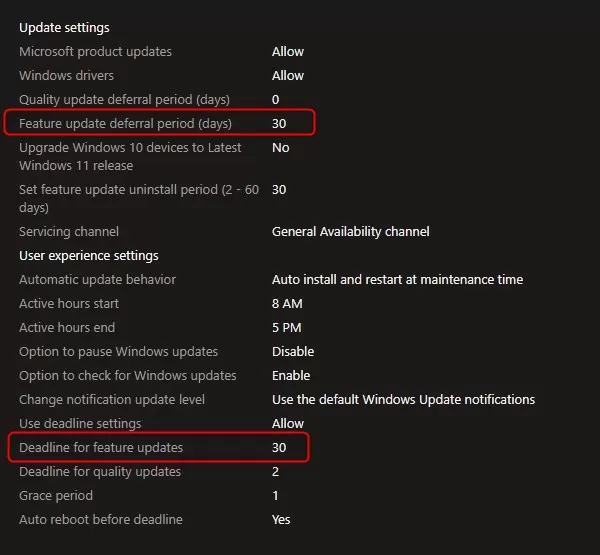
Note, according to Microsoft, the Deadline for feature updates is ignored by Windows 11 21h2 and earlier, meaning Windows 10 also. The Deadline for Quality Update will impact Windows 10 performing the feature Update to Windows 11.
The official deadline behaviour documentation is definitively worth reading, see Microsoft docs.

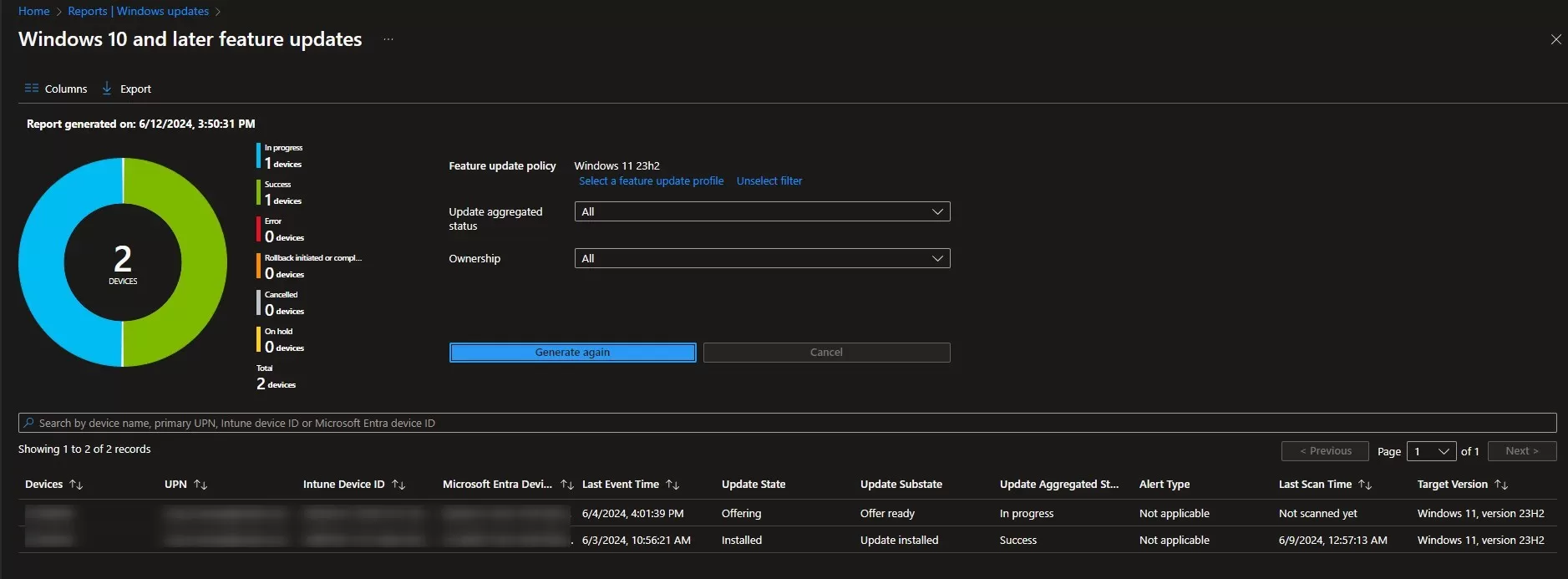
It is also possible to follow the Feature Update rollout with the newest Windows Update for business report, using the workbook in Log Analytics. See our post about how to Configure Windows Update for Business Reporting
For more details about Feature Update with Intune, see Microsoft Docs.

Please fill out the form, and one of our representatives will contact you in Less Than 24 Hours. We are open from Monday to Friday.

Thank you for subscribing to our newsletter or requesting a quote. You will receive our next month's newsletter. If you have requested a quote, we will get in touch with you as soon as possible.

Something went wrong!


Thank for your reply!