

The Best Microsoft Intune Reporting Solution in 2026
Founder of System Center Dudes. Based in Montreal, Canada, Senior Microsoft SCCM Consultant, 8 times Enterprise Mobility MVP. Working in the industry since 1999. His specialization is designing, deploying and configuring SCCM, mass deployment of Windows operating systems, Office 365 and Intune deployments.

Benoit Lecours
PresidentTable of Content






Share


Get the latest insights and exclusive content delivered to your inbox
Microsoft Intune is a powerful tool for managing devices, but reporting is still one of its weakest areas.
Out of the box, Intune provides basic dashboards, but in real environments, this is often not enough. Teams quickly run into limitations when they try to track trends, troubleshoot issues, or present clear data to management. Simple questions like “Are we improving compliance over time?” or “Which devices keep failing updates?” are not always easy to answer.
Because of this, many organizations look for better reporting solutions. In this article, we’ll go through some of the best free community tools available today, and some paid solutions, including Eido and Patch My PC Advanced Insights.
I wanted to document the available Intune reporting solution a bit, as we did in our popular post about Intune Community Tools 2025 Edition. If you’re an Intune reporting solution creator and you’re not on this list, please feel free to reach out and we’ll review it.
Why Intune Reporting Needs Improvement
The main challenge with Intune reporting isn’t that it’s missing entirely… it’s that it lacks depth and flexibility.
Most built-in reports are designed for quick checks, not for long-term analysis. Historical data is limited, customization is minimal, and the experience is not always ideal for non-technical users. This often leads teams to export data manually or build their own dashboards, which takes time and effort.
That’s where third-party tools come in. They help transform raw Intune data into something much more useful and actionable.
Free Community Intune Reporting Solution
The Intune community has created many free tools over the years, and some of them are powerful.
Most of these solutions rely on Power BI, the Intune Data Warehouse, or Microsoft Graph APIs. Some reporting solutions allows to build your own dashboards and reports based on your exact needs.
So here’s some free Intune reporting solutions :
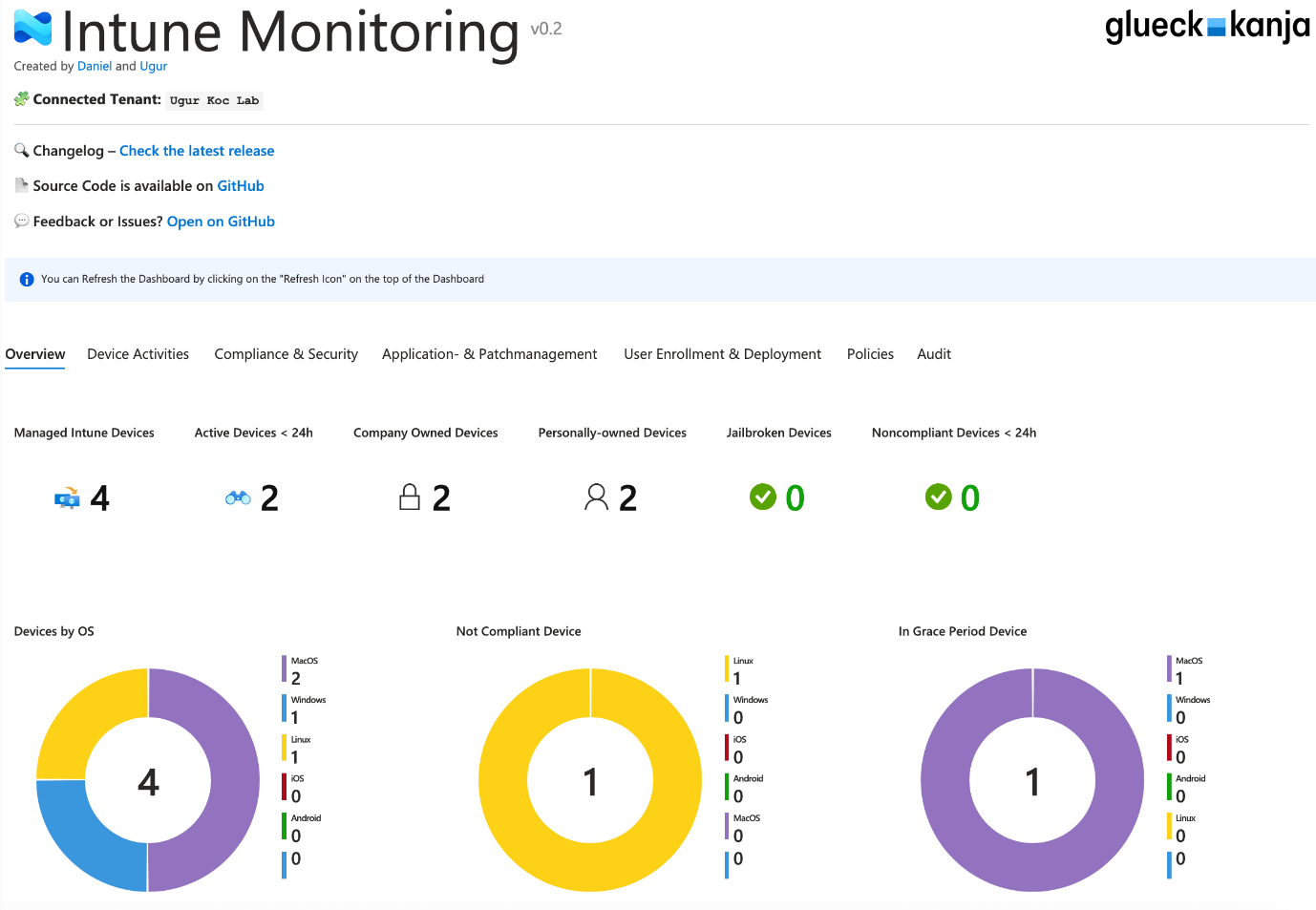
Intune Monitoring
Intune Monitoring is a free tool that provides Azure Workbook dashboards for Intune environments. It allows administrators to deploy monitoring dashboards quickly and visualize key Intune data.
Dashboards include: Device activity, Compliance monitoring, Application deployment tracking, OS Updates
- Creator : Ugur Koc
- Download link : Intune Monitoring Dashboard
Intune Guardian
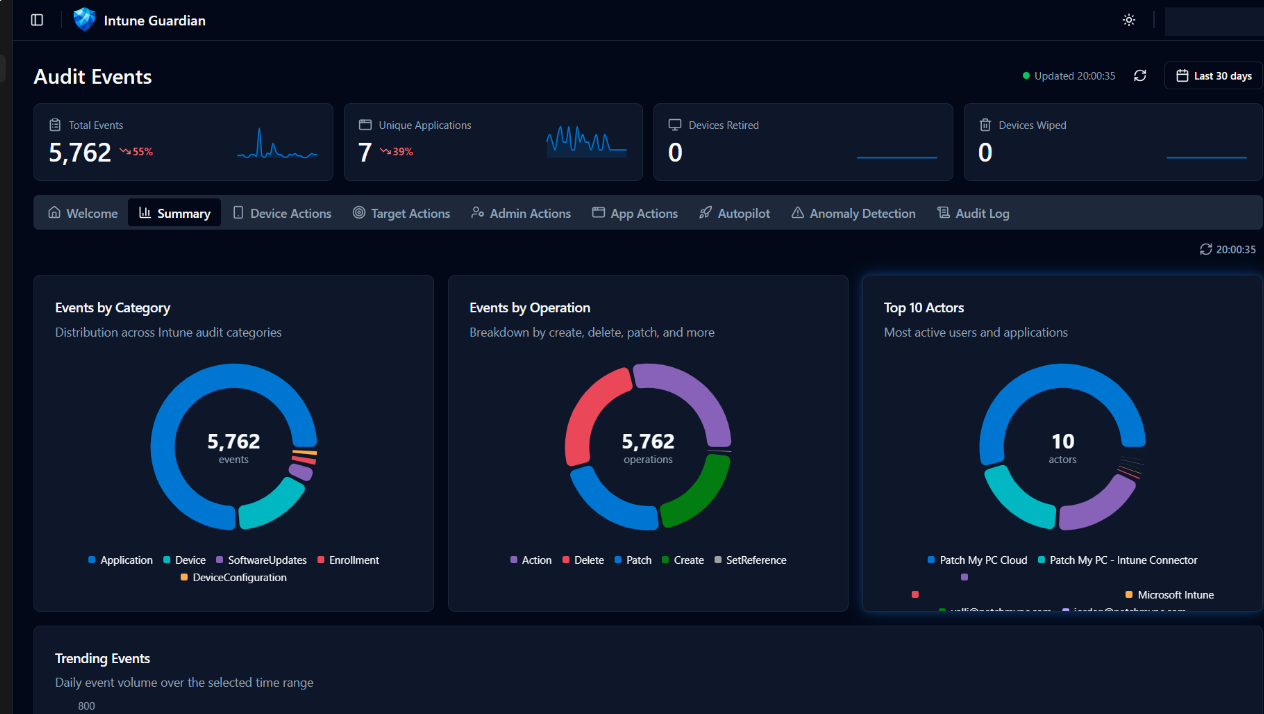
Intune Guardian provides real-time monitoring and auditing of your Microsoft Intune environment, delivering visibility into device enrollment, policy changes, app deployments, and access controls.
It features anomaly detection, security risk scoring, and comprehensive audit trails with exportable reports and dashboards for governance and compliance. Use it to detect misconfigurations, enforce policies, and accelerate incident response.
- Creator : Nickolaj Andersen, Jan Ketil Skanke, Maurice Daly, Sandy Zeng, Simon Skotheimsvik
- Download link : Intune Guardian — Monitor & Audit Your Microsoft Intune Environment
Intune Anomalies Report
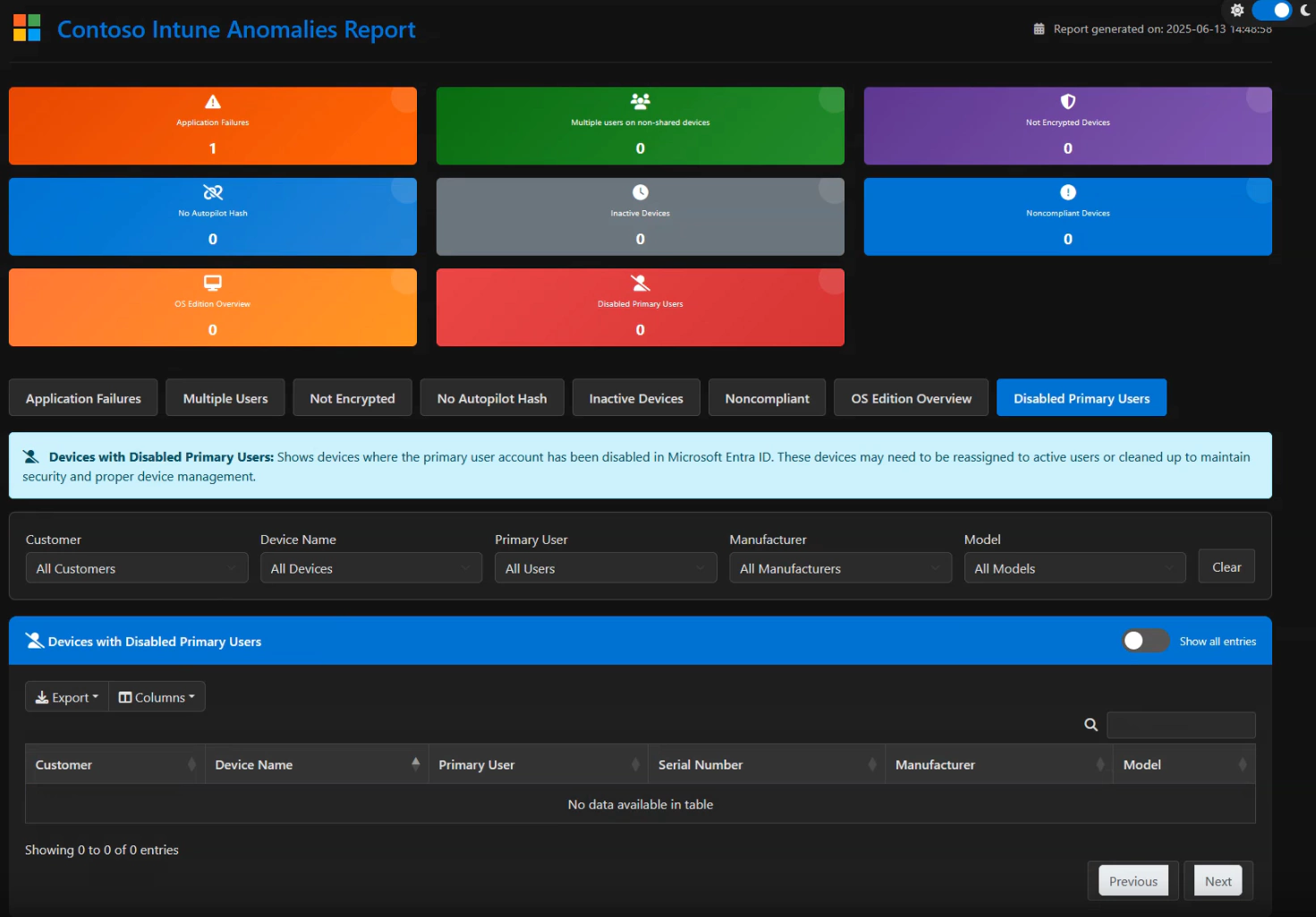
Every IT administrator knows the struggle of maintaining a clean and secure Microsoft Intune environment. Devices can fall out of compliance, applications might fail to deploy, and inactive devices can clutter your management overview. Gaining a comprehensive, actionable insight into these potential issues often involves tedious manual checks and a collection of disparate reports.
A PowerShell script that provides a responsive, interactive overview of your Intune anomalies, complete with easy filtering, detailed viewing, and clear indicators to highlight peculiarities.
- Creator : Roy Klooster
- Download link: Intune Anomalies Report
SCD Free Subscription
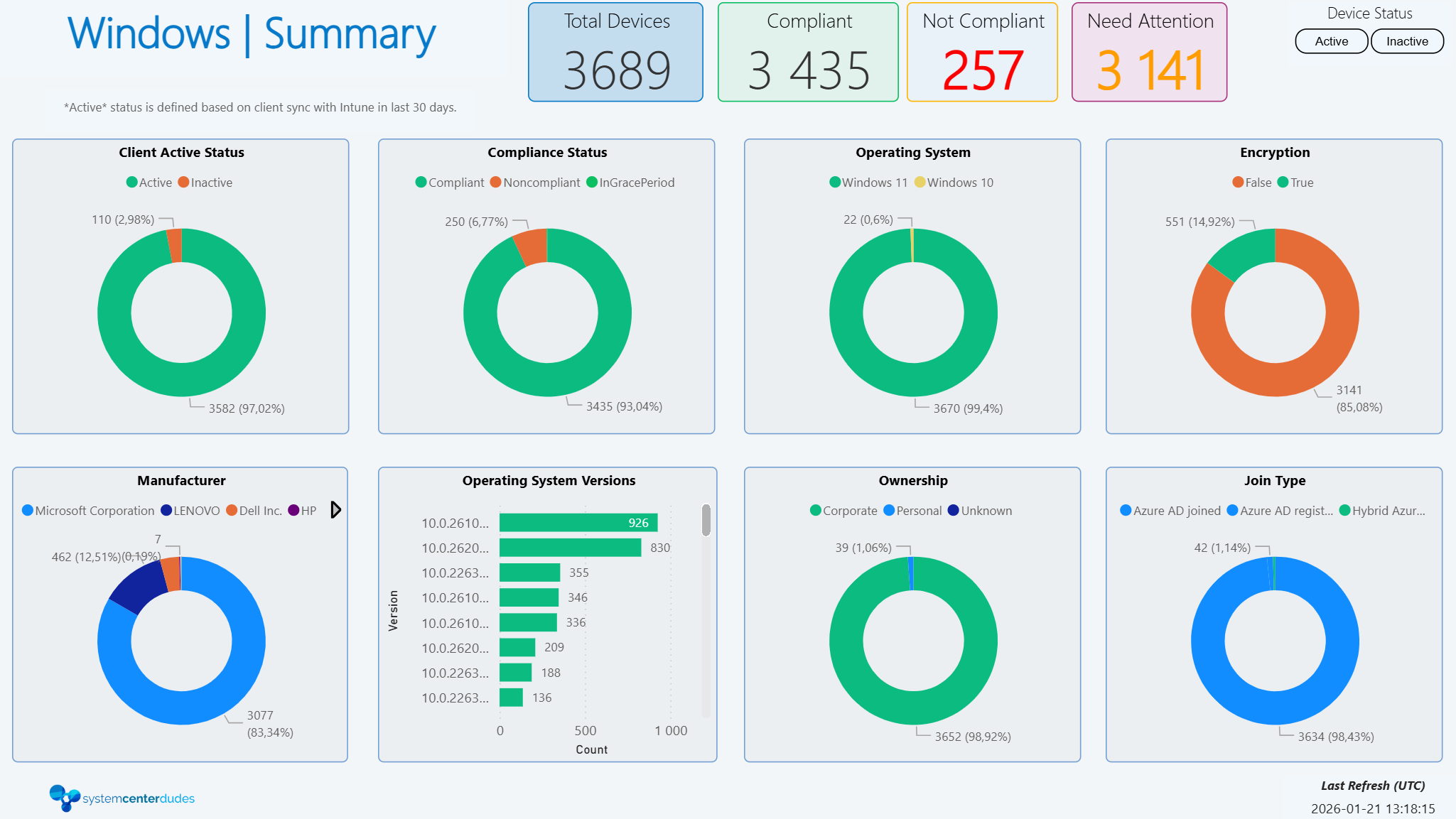
Back in the SCCM days, we loved to develop SCCM reports. Since Intune has a complete different data model, we had to rewrite our whole suite. Work is in progress, some PowerBi dashboards are available in our Free product suite. Let us know your feedback as we continue to develop.
Paid Solutions
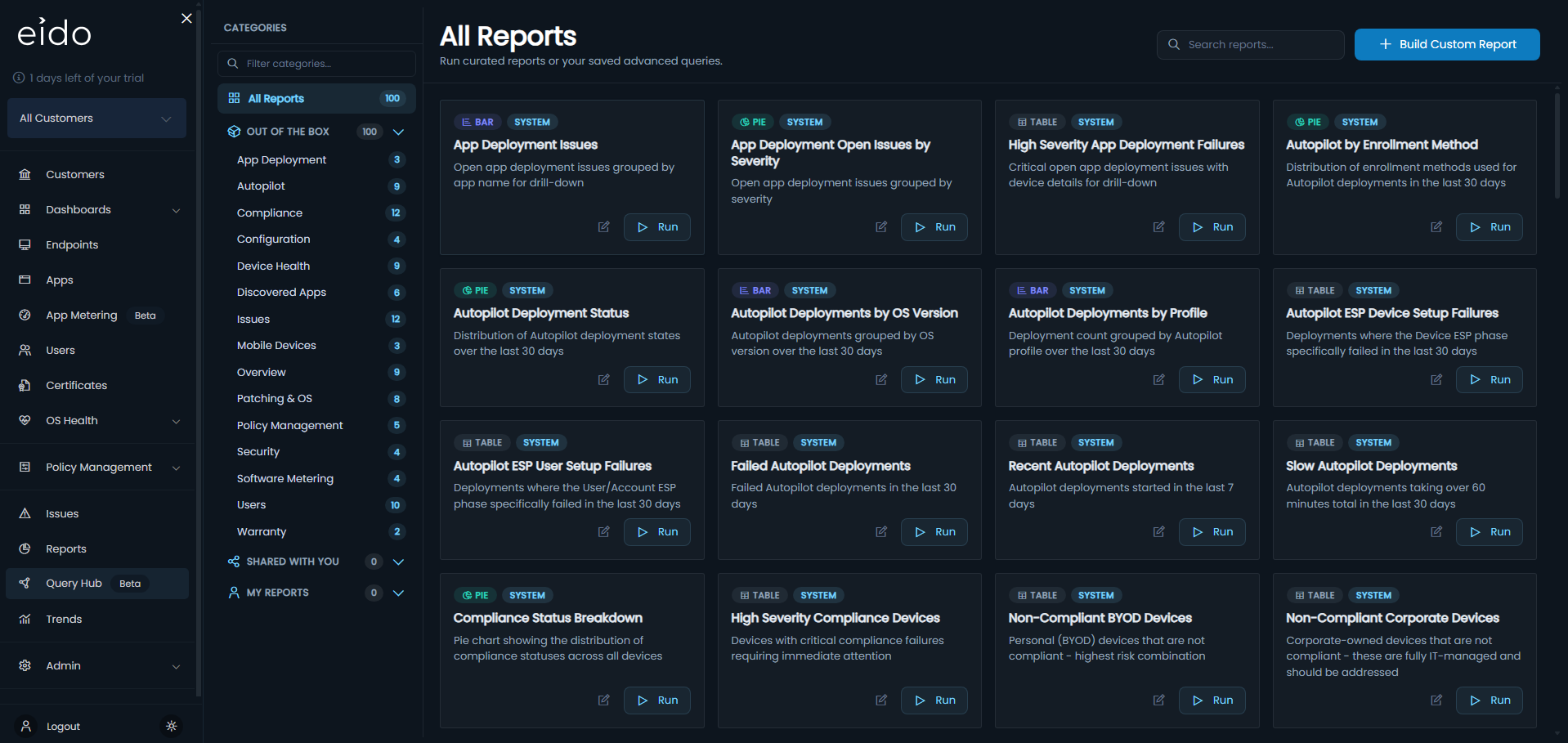
Eido Reporting
Eido is a modern reporting solution built specifically for Intune. Its main goal is to simplify reporting as much as possible.
Instead of requiring you to build dashboards or write queries, Eido gives you ready-to-use insights as soon as it’s connected. The interface is clean, fast, and designed for both IT teams and management. You can quickly see compliance levels, device status, and overall security posture without digging through multiple Intune menus.
What makes Eido interesting is how easy it is to use. There is no need for Power BI, no scripts to maintain, and no infrastructure to manage. Everything is handled for you, which makes it a great option for teams that want quick results without complexity.
The new function to create custom report is amazing and they also have a software metering solutions.
Visit our Eido partner page to see if it can help your organisation.
Patch My PC – Advanced Insights
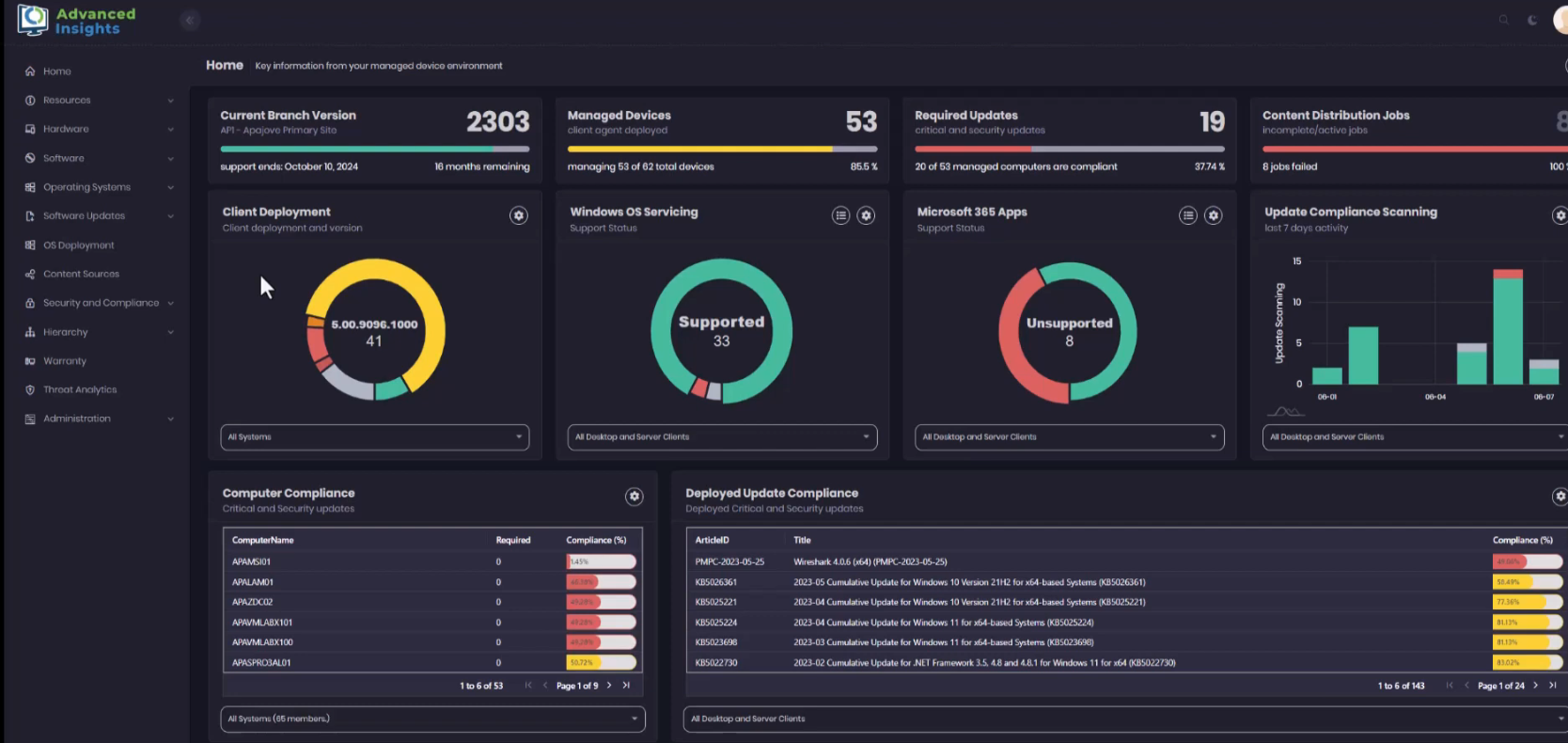
Patch My PC Advanced Insights is a very strong option, especially if you already use Patch My PC in your environment. It is included in the Enterprise Premium license.
Advance insight integrates with ConfigMgr and Intune to transform complex IT data into clear, visual reports, offering real-time insights into patch compliance, device health, and software updates. Empower IT teams to quickly identify and address issues, streamline patch management, and maintain a secure, reliable environment with minimal manual effort.
You get structured and detailed reports, but also the flexibility to customize them if needed. This makes it particularly useful for security teams and for organizations that need to track vulnerabilities closely.
Visit our Patch My PC partner page to see if it can help your organization.
Powerstacks
Microsoft Intune offers Unified Endpoint Management for corporate and BYOD devices, prioritizing data security. However, native reporting capabilities fall short. PowerStacks BI for Intune reporting solution, a game-changing business intelligence solution. Integrated with Microsoft Intune Power BI reports service, the products are easy to install, share, and access.
Unlike other solutions, BI for Intune connects directly to live data, not the data warehouse, delivering real-time insights.
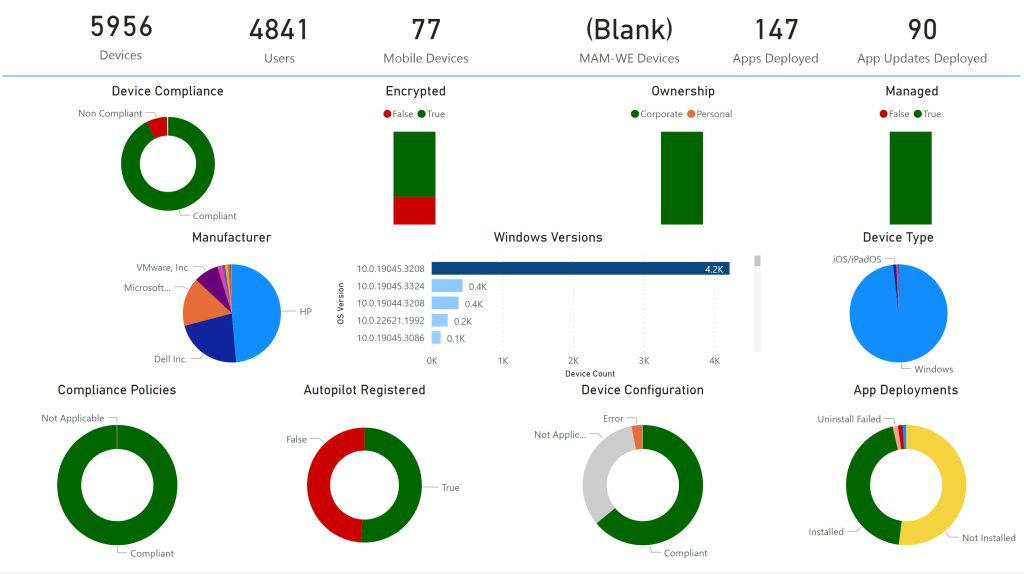
Demo and access on the Powerstacks webpage.
Final Thoughts
Improving your Intune reporting is one of the fastest ways to bring value to your environment.
Better visibility helps reduce troubleshooting time, improve security, and support better decision-making. Whether you choose a ready-to-use platform or build your own reports, investing in reporting will always pay off.
If you’re not sure which solution fits your environment, starting with a quick review of your reporting gaps is usually the best first step.
Share
Get the latest insights and exclusive content delivered to your inbox


Only authorized users can leave comments
Log In